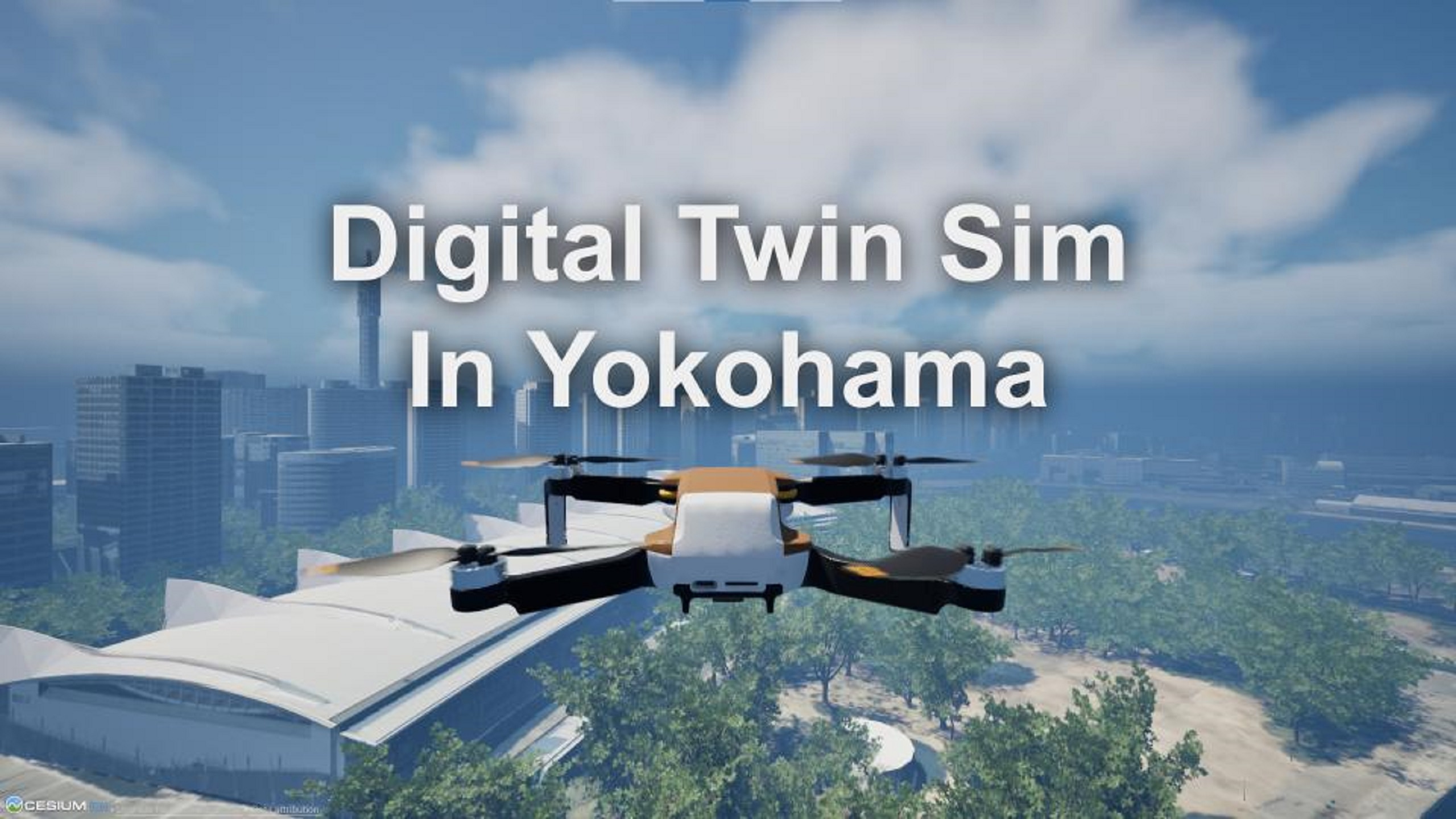
Digital Twin Sim In Yokohama
History
Change 8340ff18-bcd3-48c6-8cef-39138fb991a3Oct 19 2026, 03:17 PM
- Added tag Halloween Sale
Change 068ff21d-0c24-4261-96f0-6b93743a08fbSep 17 2026, 03:18 PM
- Removed tag End of Summer Sale
Change 3e851496-a726-4c27-ad3b-5cf80189ccd0Sep 3 2026, 03:03 PM
- Added tag End of Summer Sale
Change c655b6df-2f35-4c39-bbc7-dced75f789a6Jul 30 2026, 03:07 PM
- Removed tag Summer Sale
Change 3b2e2d49-243b-4531-a24c-7ccd400dfc5bJul 16 2026, 03:06 PM
- Added tag Summer Sale
Change 46224349-0d12-40cd-8ba6-9339e12d9fe2Jul 3 2026, 12:21 AM
- Locale key LongDescription modified: <!--textBlock--> <!--title--> # Drone Simulation <!--text--> You can simulate a drone with a third-person, first-person, or gimbal camera view. If the drone falls into the sea or river, it will reset to the start position. Also, if the drone contacts cars or cyclists, it will reset to the start position. Virtual fences protect pedestrians from the drone. So, the drone can't move into the virtual fences. You can set visibility of the virtual fences using "Digital Twin Settings." <!--image--> 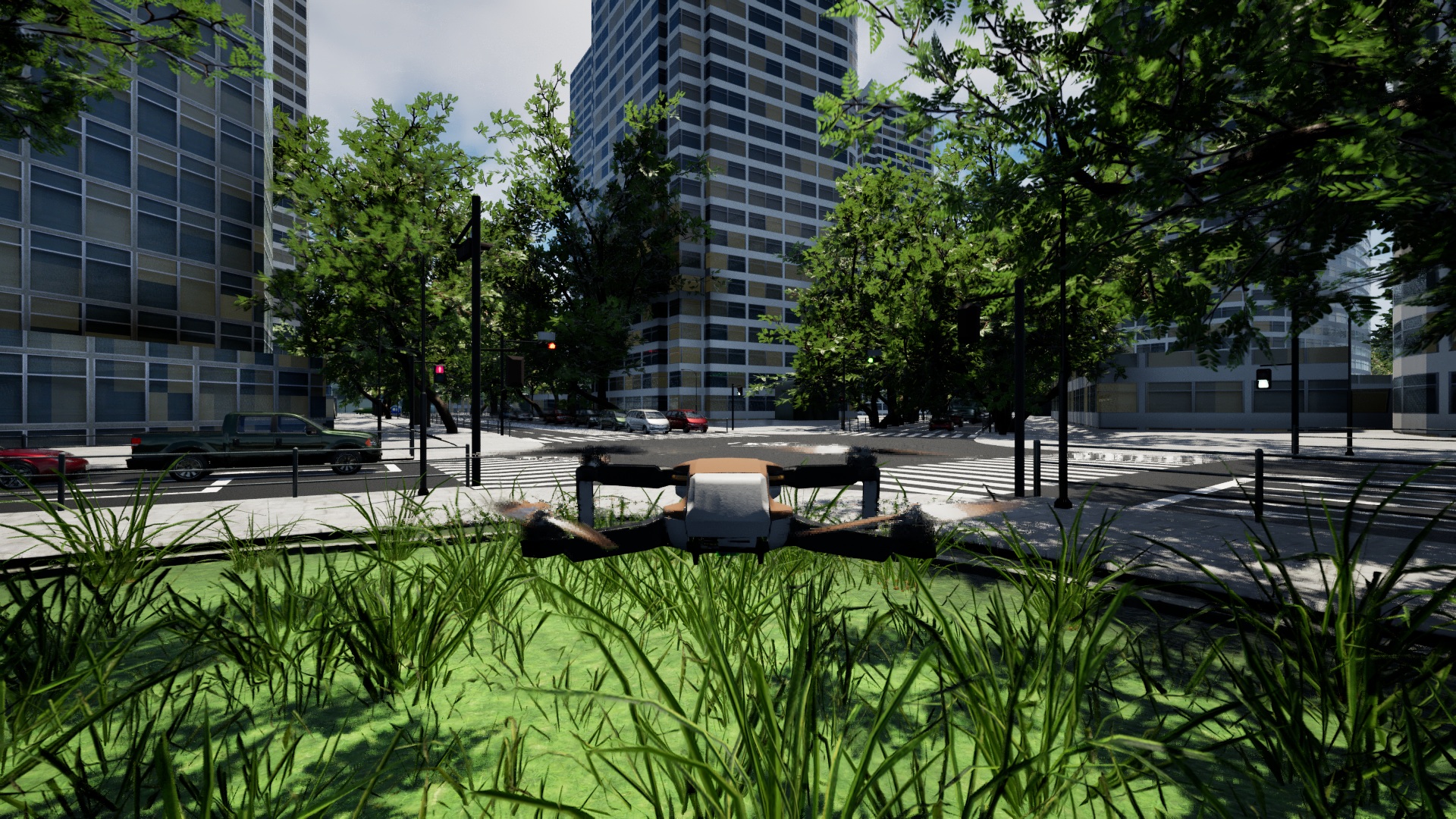 <!--image--> 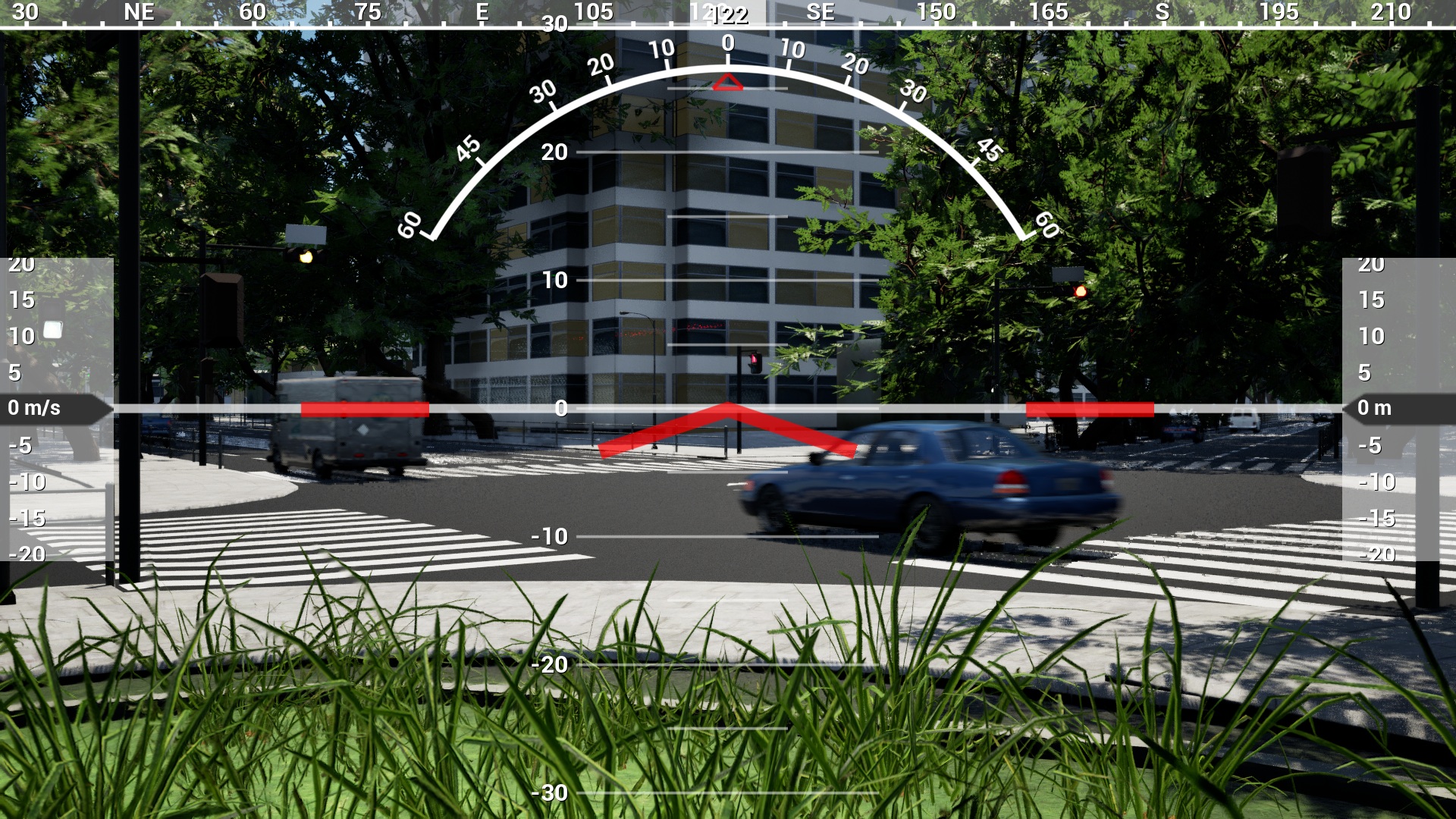 <!--image--> 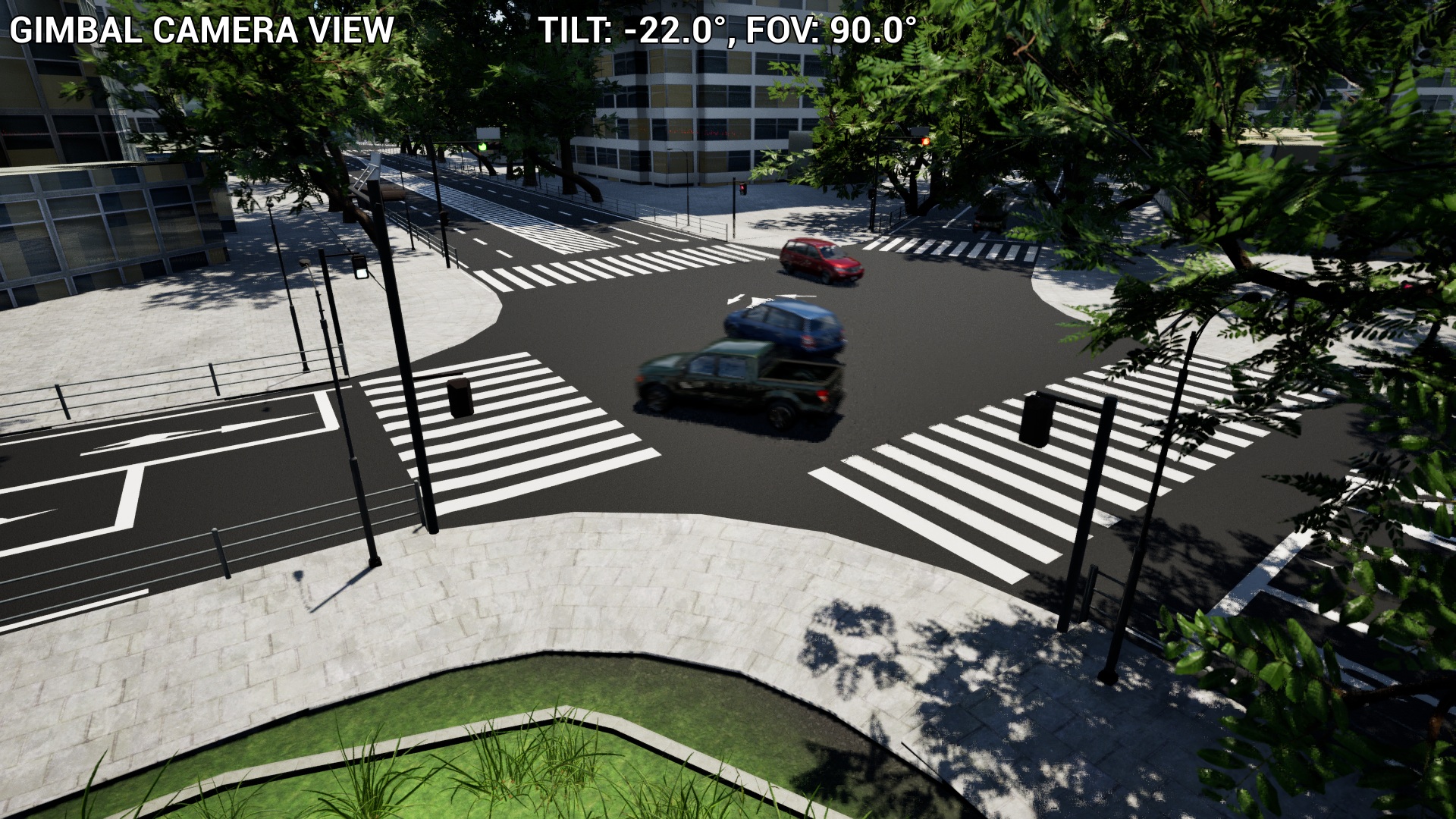 <!--textBlock--> <!--title--> # Control Character <!--text--> You can control a character with third-person view or first-person view. If the character falls into the sea or river, it will reset to the start position. Also, if the character contacts cars or cyclists, it will reset to the start position. The pedestrians are only walking, you can't interact with them. <!--image--> 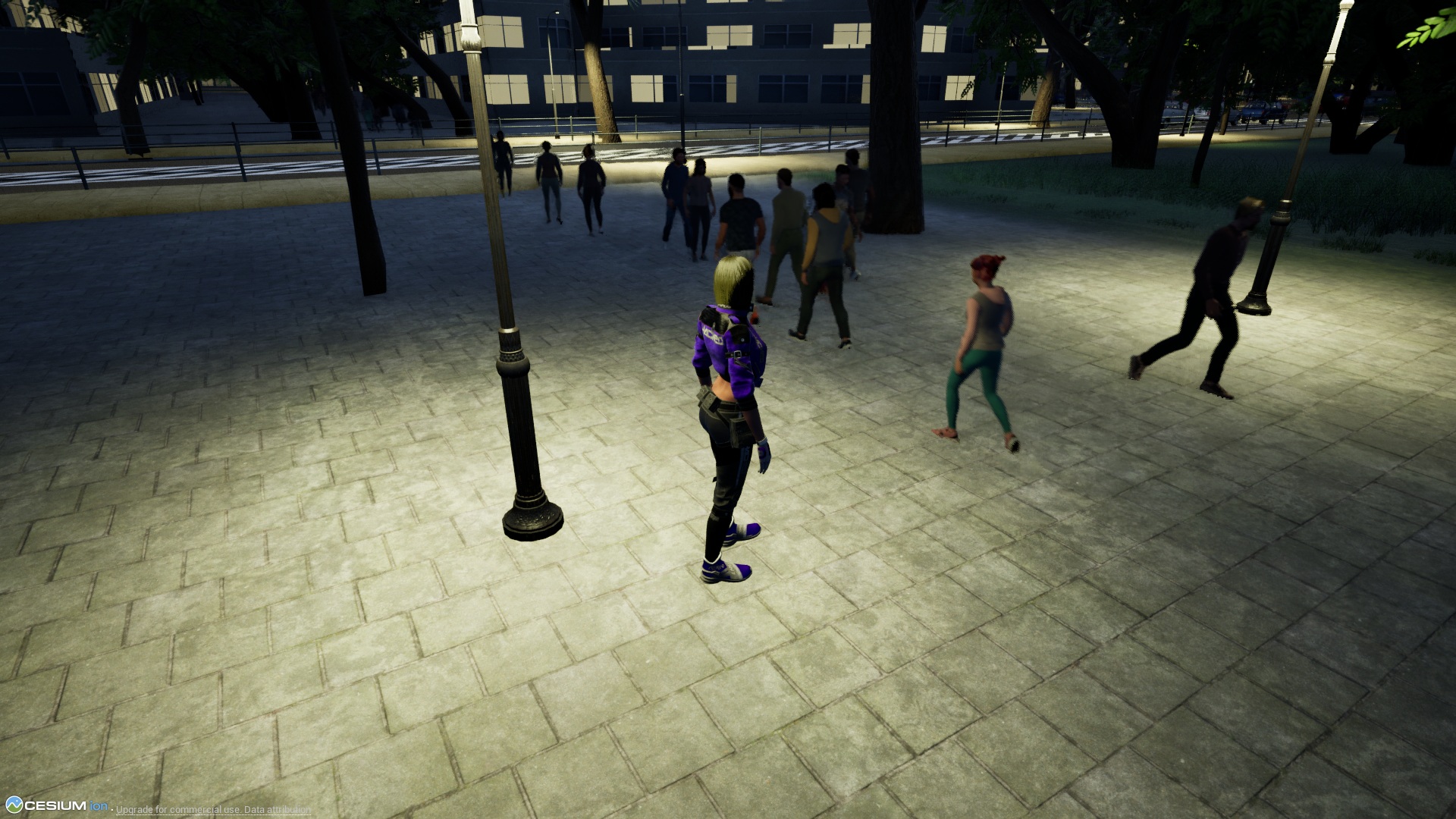 <!--textBlock--> <!--title--> # Control Floating Camera <!--text--> You can control a floating camera. The floating camera is not affected by gravity and is not affected by any contact. When there is no input, it remains stationary in the air. <!--image--> 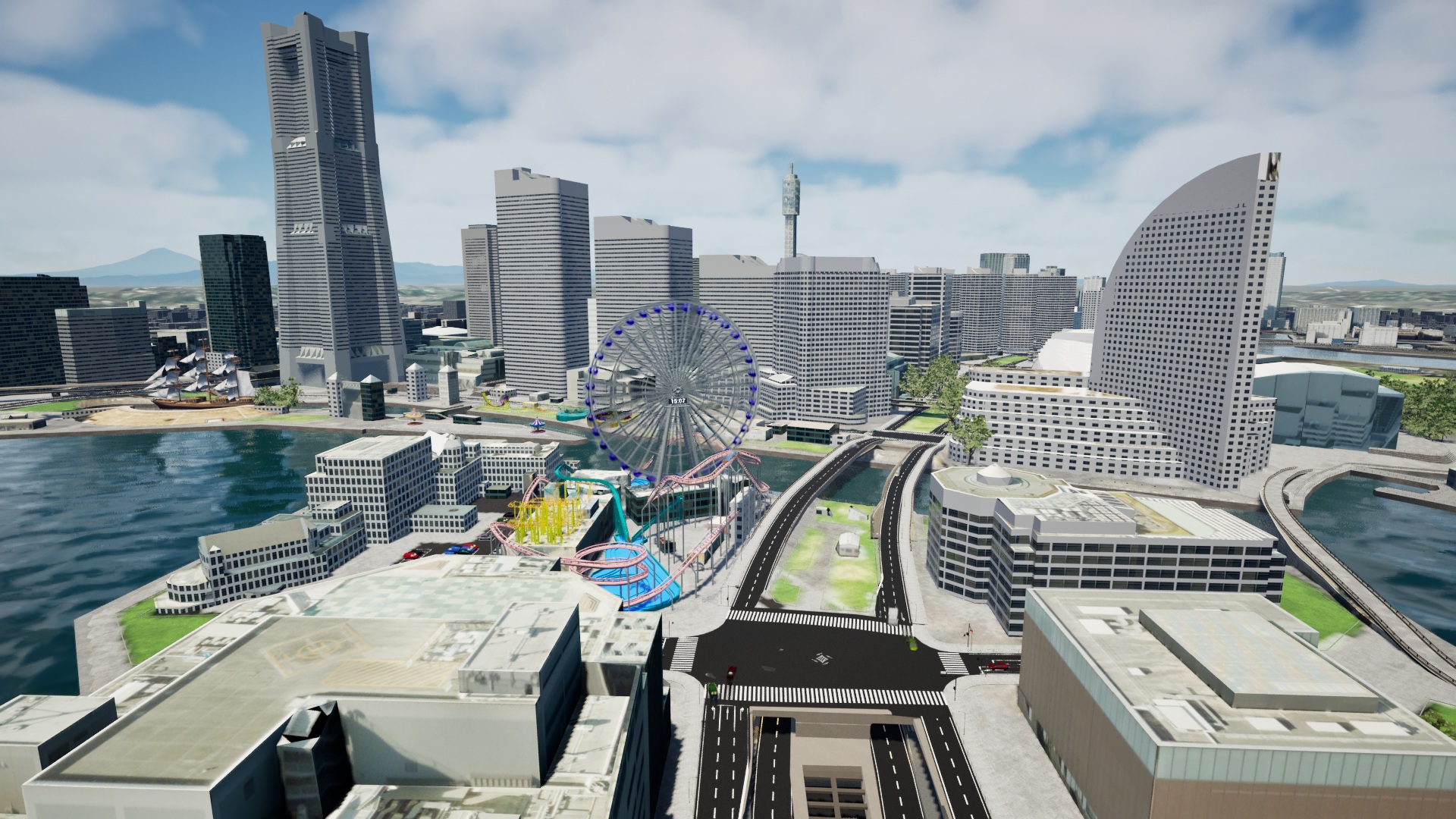 <!--textBlock--> <!--title--> # Main Menu <!--text--> You can start the game by selecting "START GAME." You can choose the settings of a game, sound, weather, digital twin, or datetime. You can check the game pad layout by selecting "Controller." <!--image--> 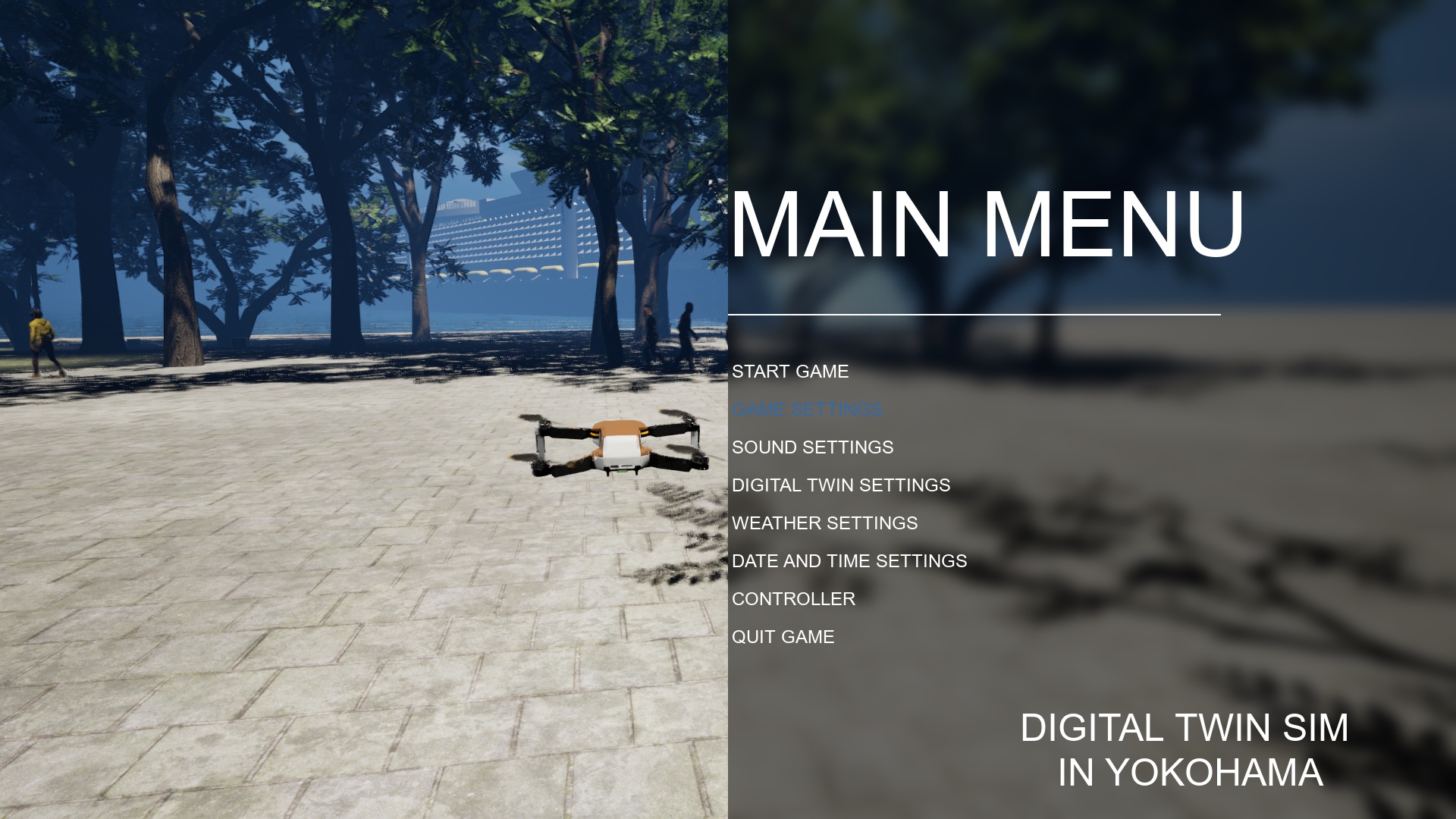 <!--textBlock--> <!--title--> # Game Settings <!--text--> You can set Game Mode, Resolution, Full Screen, Gamma, Bloom, Quality, and Language. If you want to improve the frame rate, please choose the quality of low. <!--image--> 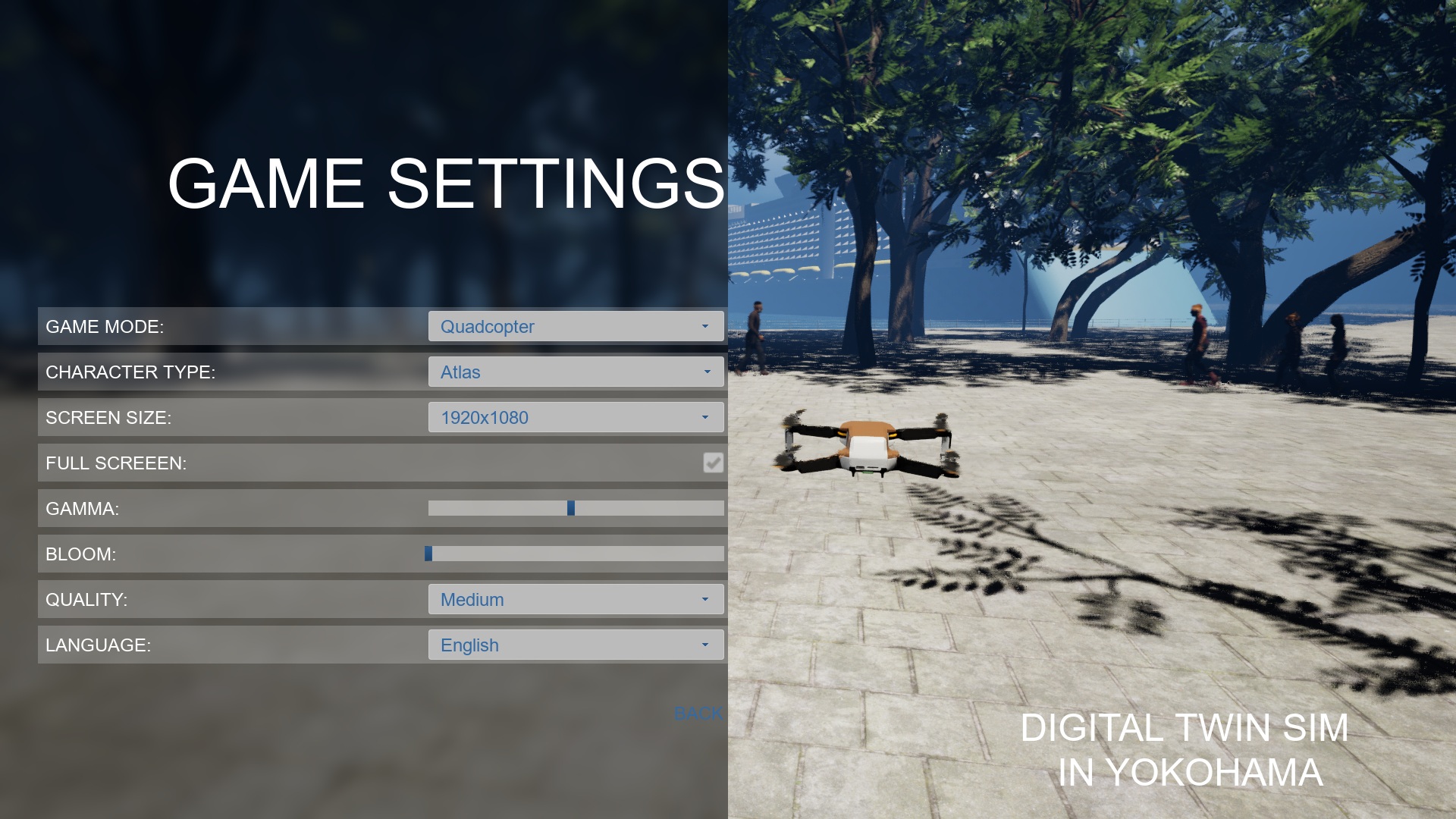 <!--textBlock--> <!--title--> # Sound Settings <!--text--> You can select BGM. You can set the mute. You can set the volume of BGM, Effect, and UI. <!--image--> 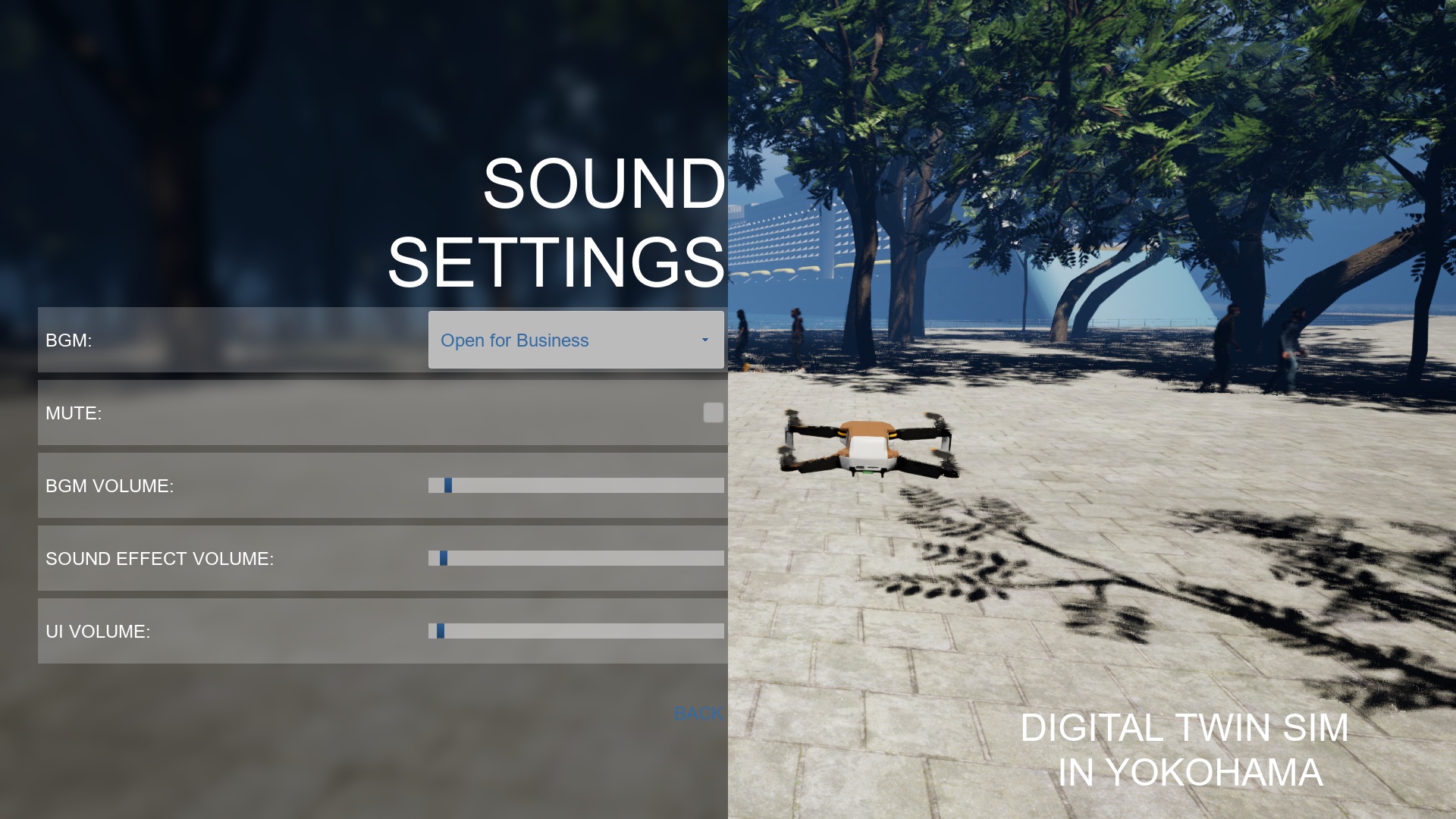 <!--textBlock--> <!--title--> # Digital Twin Settings <!--text--> You can change the amount of the crowd and the details of their 3D model. Also, you can change visibility of virtual fence. The virtual fences protect pedestrians from the drone. You can change the theme of trees. You can change visibility of trees, street lamps, benches, and traffic. If you want to improve the frame rate, please uncheck the traffic. <!--image--> 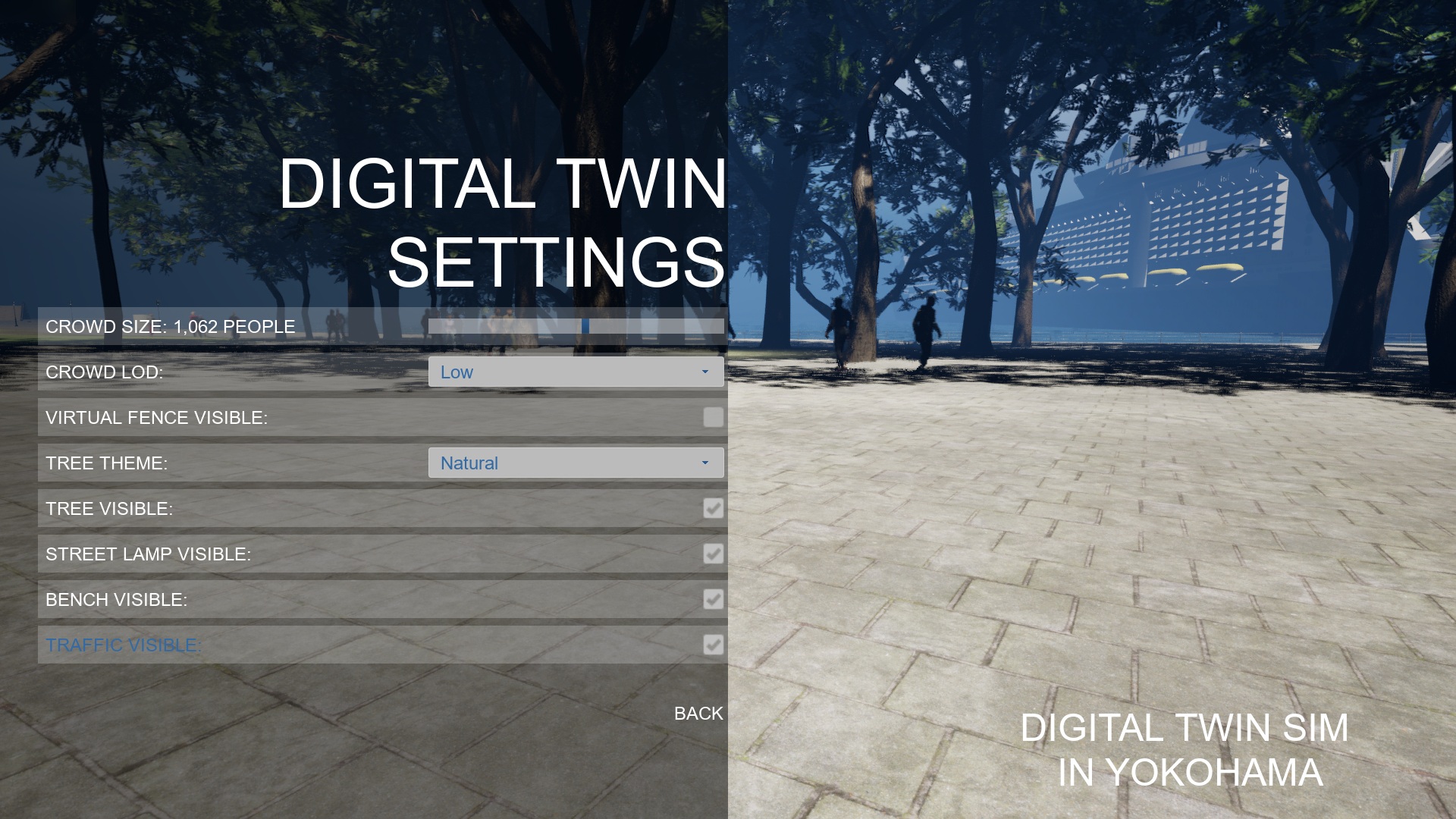 <!--textBlock--> <!--title--> # Weather Settings <!--text--> You can set the weather to sunny, rainy, or snowy. <!--image--> 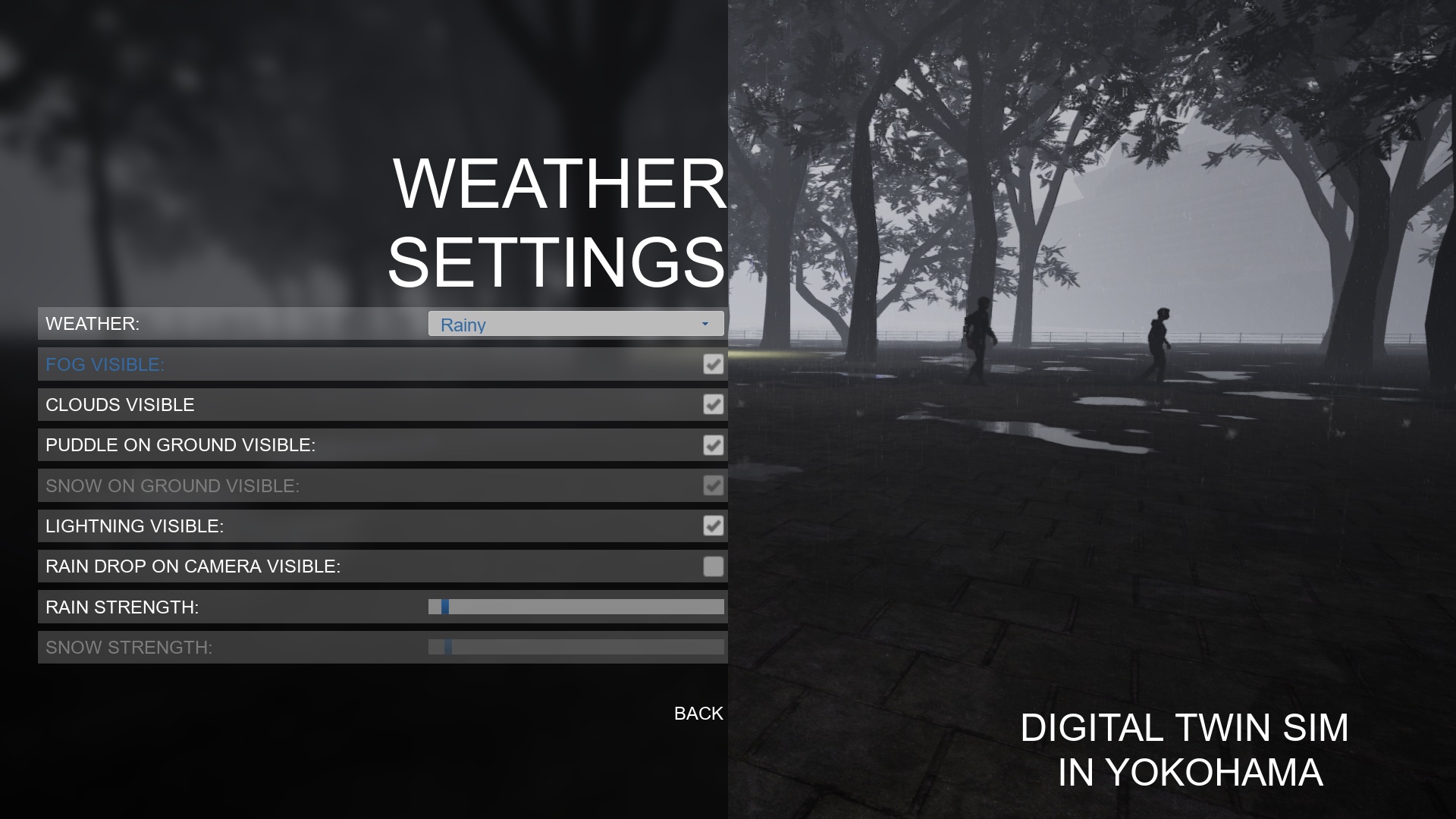 <!--textBlock--> <!--title--> # Date and Time Settings <!--text--> You can set the year, month, day, hour, and minutes. The fireworks event will start when the Date and Time Settings are set to 19:20 to 19:59 on June 2, 2025, or 19:30 to 19:59 on August 4, 2025. <!--image--> 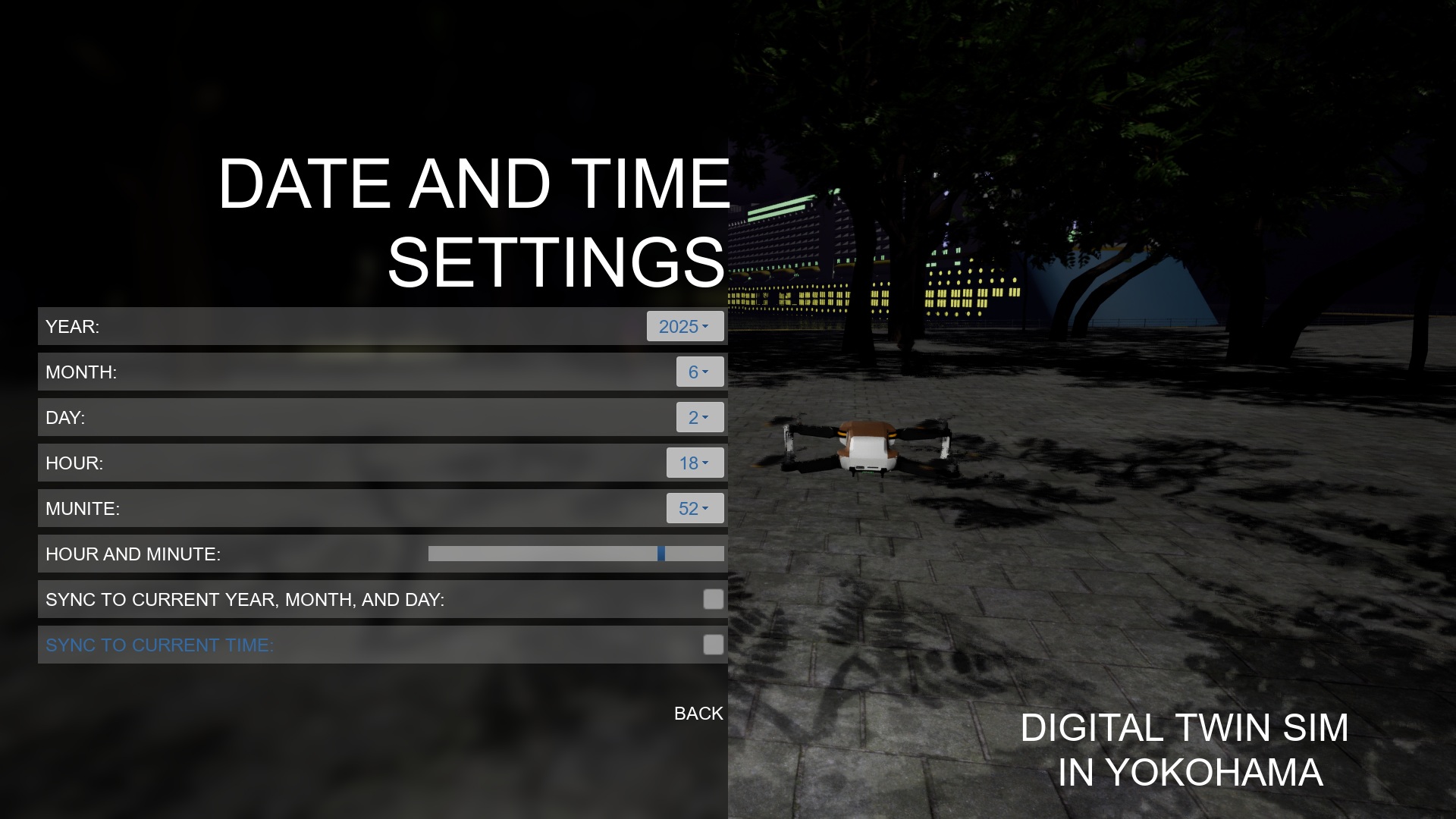 <!--image--> 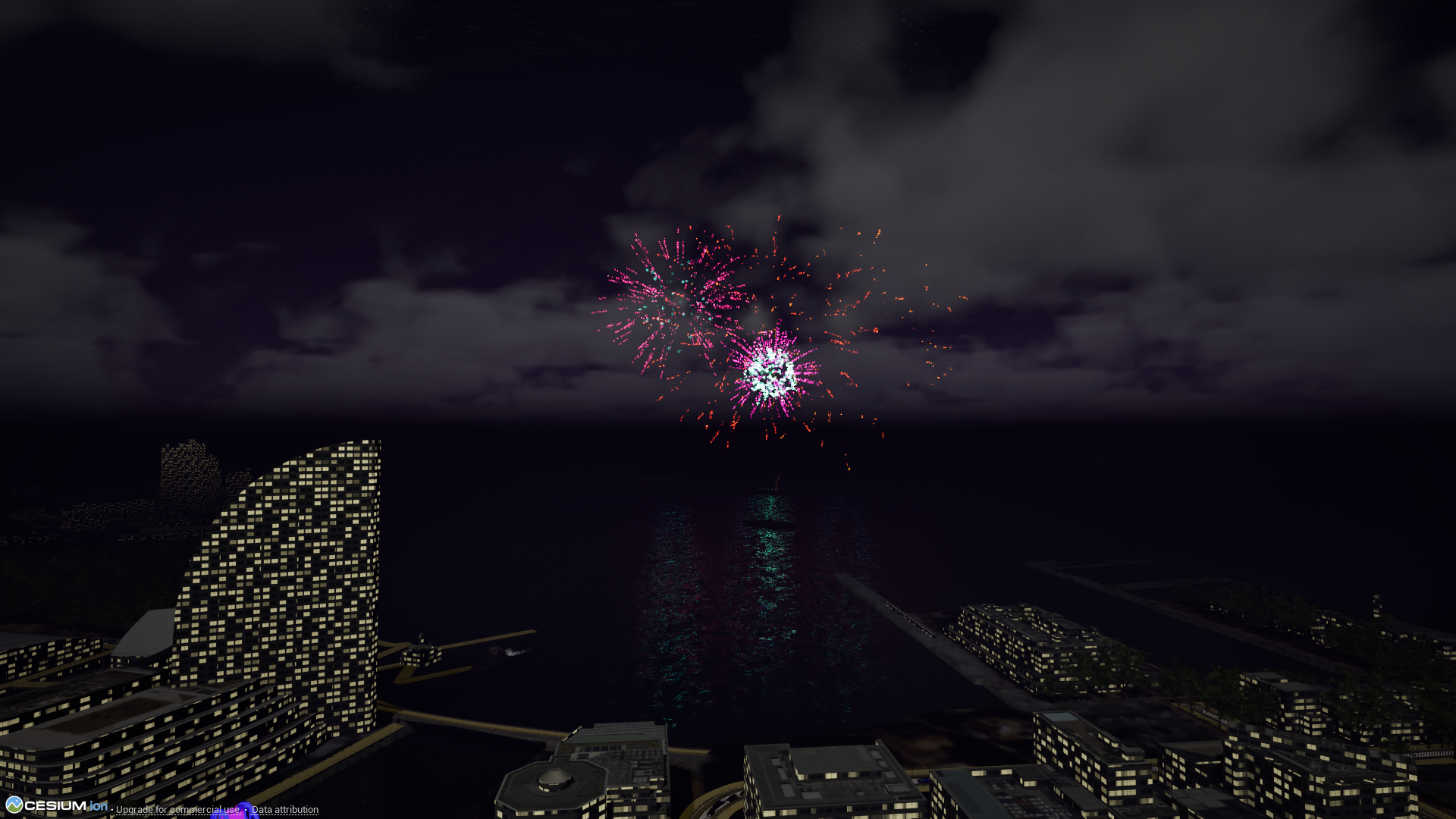 <!--textBlock--> <!--title--> # Controller <!--text--> You can check the gamepad layout of the corresponding game mode. <!--image--> 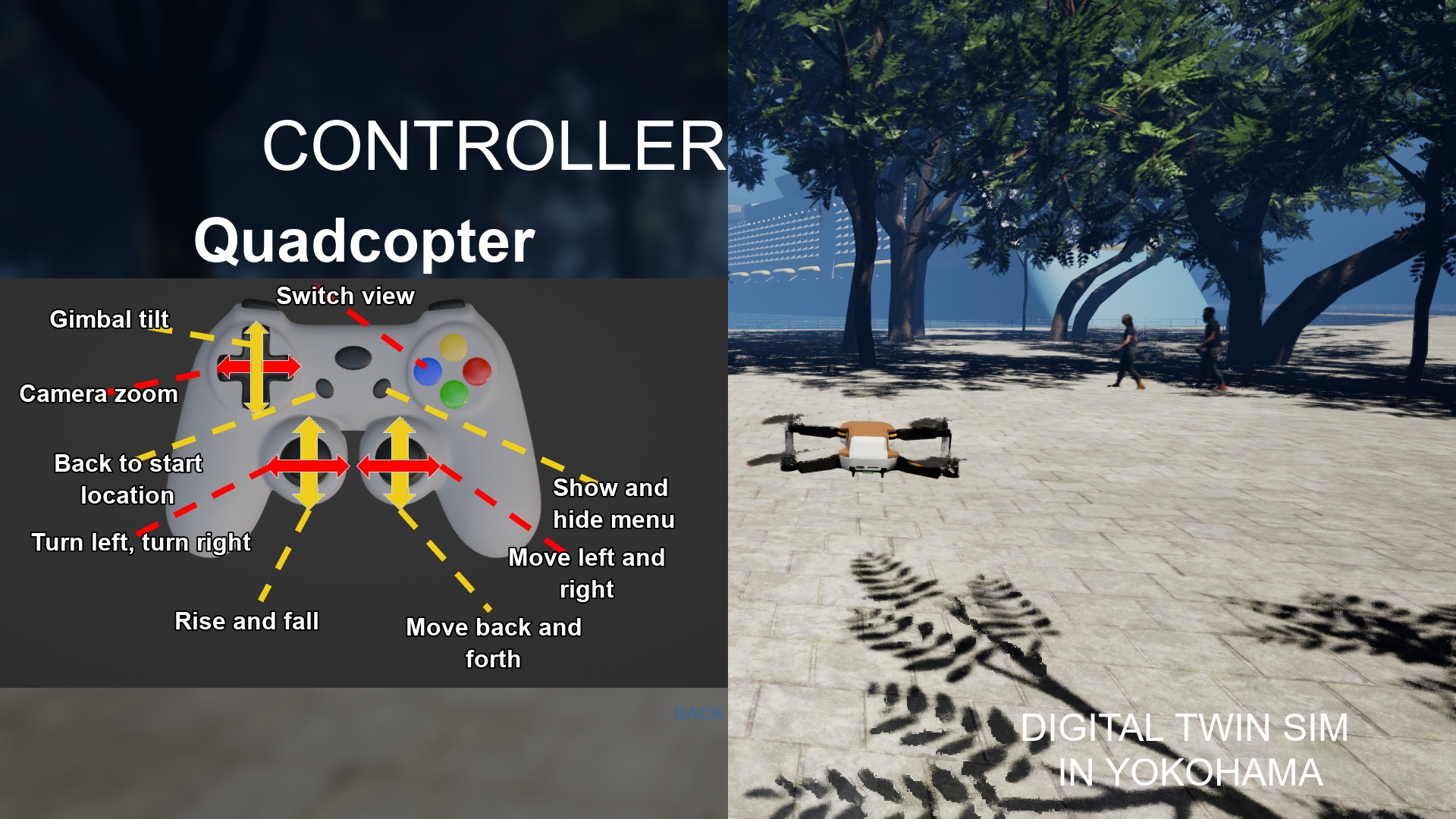 → <!--textBlock--> <!--title--> # Drone Simulation <!--text--> You can simulate a drone with a third-person, first-person, or gimbal camera view. If the drone falls into the sea or river, it will reset to the start position. Also, if the drone contacts cars or cyclists, it will reset to the start position. Virtual fences protect pedestrians from the drone. So, the drone can't move into the virtual fences. You can set visibility of the virtual fences using "Digital Twin Settings." <!--image-->  <!--image-->  <!--image-->  <!--textBlock--> <!--title--> # Control Character <!--text--> You can control a character with third-person view or first-person view. If the character falls into the sea or river, it will reset to the start position. Also, if the character contacts cars or cyclists, it will reset to the start position. The pedestrians are only walking, you can't interact with them. <!--image-->  <!--textBlock--> <!--title--> # Control Floating Camera <!--text--> You can control a floating camera. The floating camera is not affected by gravity and is not affected by any contact. When there is no input, it remains stationary in the air. <!--image-->  <!--textBlock--> <!--title--> # Main Menu <!--text--> You can start the game by selecting "START GAME." You can choose the settings of a game, sound, weather, digital twin, or datetime. You can check the game pad layout by selecting "Controller." <!--image-->  <!--textBlock--> <!--title--> # Game Settings <!--text--> You can set Game Mode, Resolution, Full Screen, Gamma, Bloom, Quality, and Language. If you want to improve the frame rate, please choose the quality of low. <!--image-->  <!--textBlock--> <!--title--> # Sound Settings <!--text--> You can select BGM. You can set the mute. You can set the volume of BGM, Effect, and UI. <!--image-->  <!--textBlock--> <!--title--> # Digital Twin Settings <!--text--> You can change the amount of the crowd and the details of their 3D model. Also, you can change visibility of virtual fence. The virtual fences protect pedestrians from the drone. You can change the theme of trees. You can change visibility of trees, street lamps, benches, and traffic. If you want to improve the frame rate, please uncheck the traffic. <!--image-->  <!--textBlock--> <!--title--> # Weather Settings <!--text--> You can set the weather to sunny, rainy, or snowy. <!--image-->  <!--textBlock--> <!--title--> # Date and Time Settings <!--text--> You can set the year, month, day, hour, and minutes. The fireworks event will start when the Date and Time Settings are set to 19:20 to 19:59 on June 2, 2025, or 19:30 to 19:59 on August 4, 2025. <!--image-->  <!--image-->  <!--textBlock--> <!--title--> # Controller <!--text--> You can check the gamepad layout of the corresponding game mode. <!--image-->  <!--textBlock--> <!--title--> # Screenshots <!--text--> There are cable cars, an amusement park, and underground roads.
Change 761383c4-9b62-46d7-8837-e5b542d444fdJun 28 2026, 05:07 PM
- Locale key LongDescription modified: <!--textBlock--> <!--title--> # Drone Simulation <!--text--> You can simulate a drone with a third-person, first-person, or gimbal camera view. If the drone falls into the sea or river, it will reset to the start position. Also, if the drone contacts cars or cyclists, it will reset to the start position. Virtual fences protect pedestrians from the drone. So, the drone can't move into the virtual fences. You can set visibility of the virtual fences using "Digital Twin Settings." <!--image--> 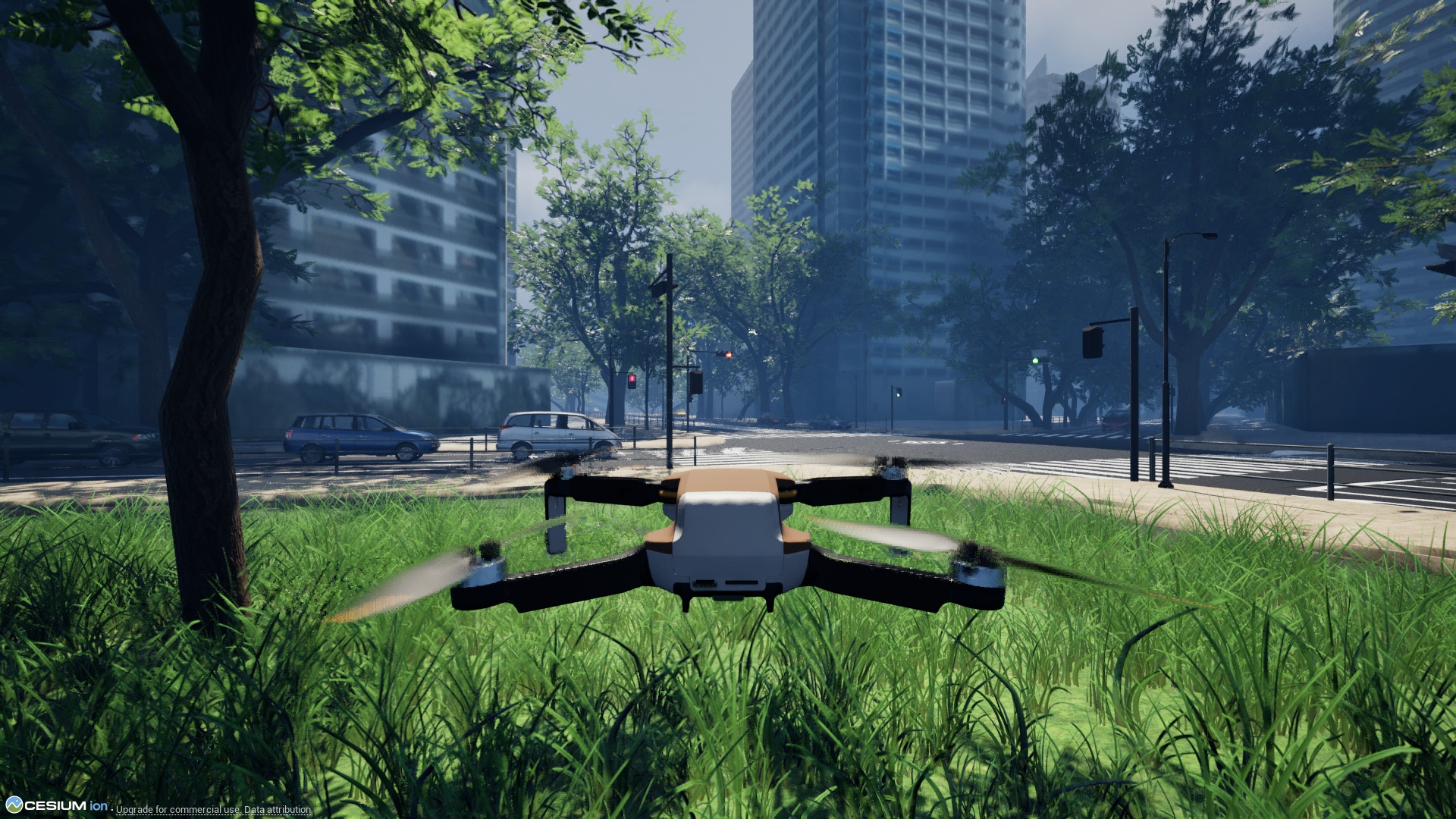 <!--image--> 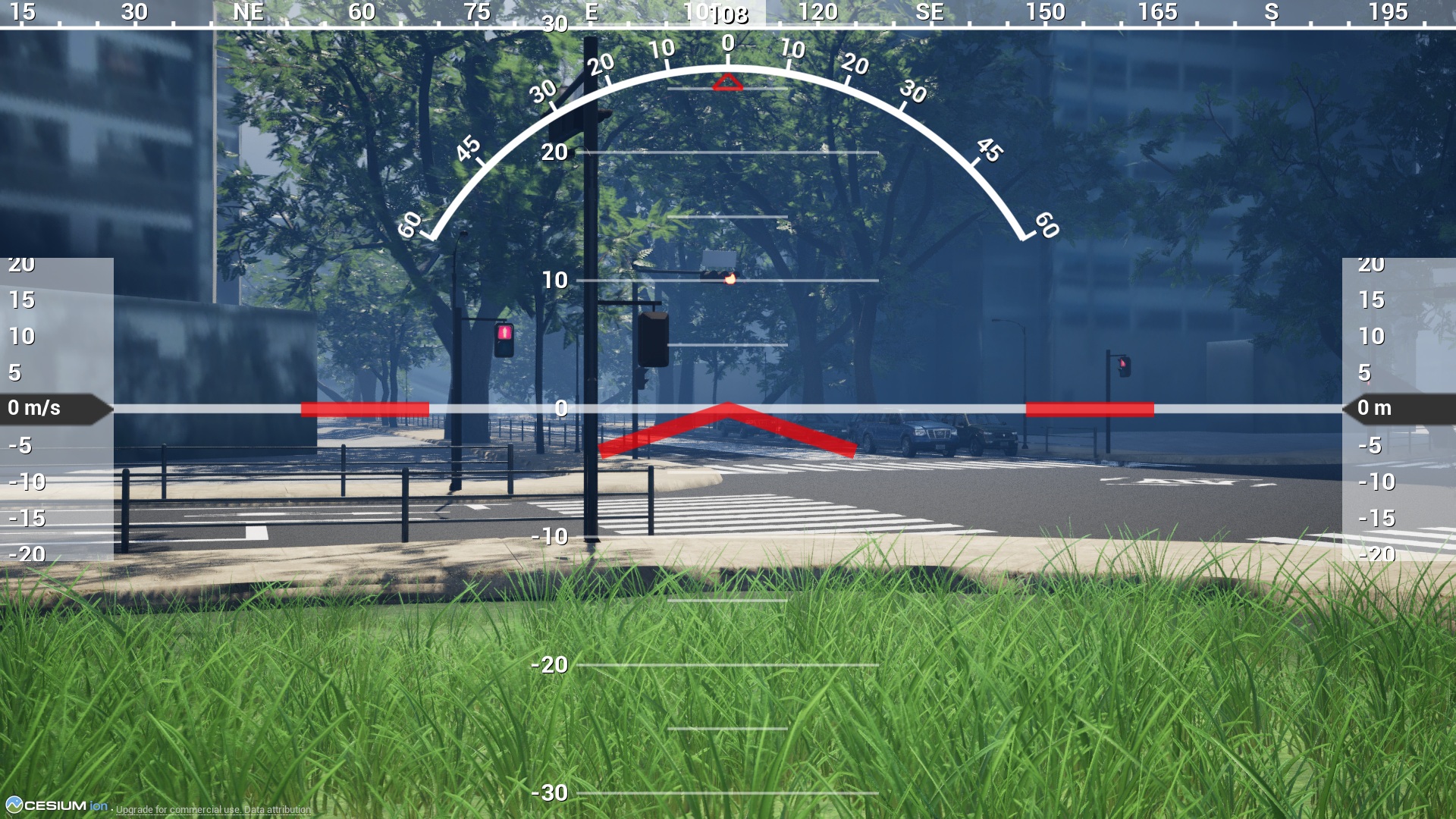 <!--image--> 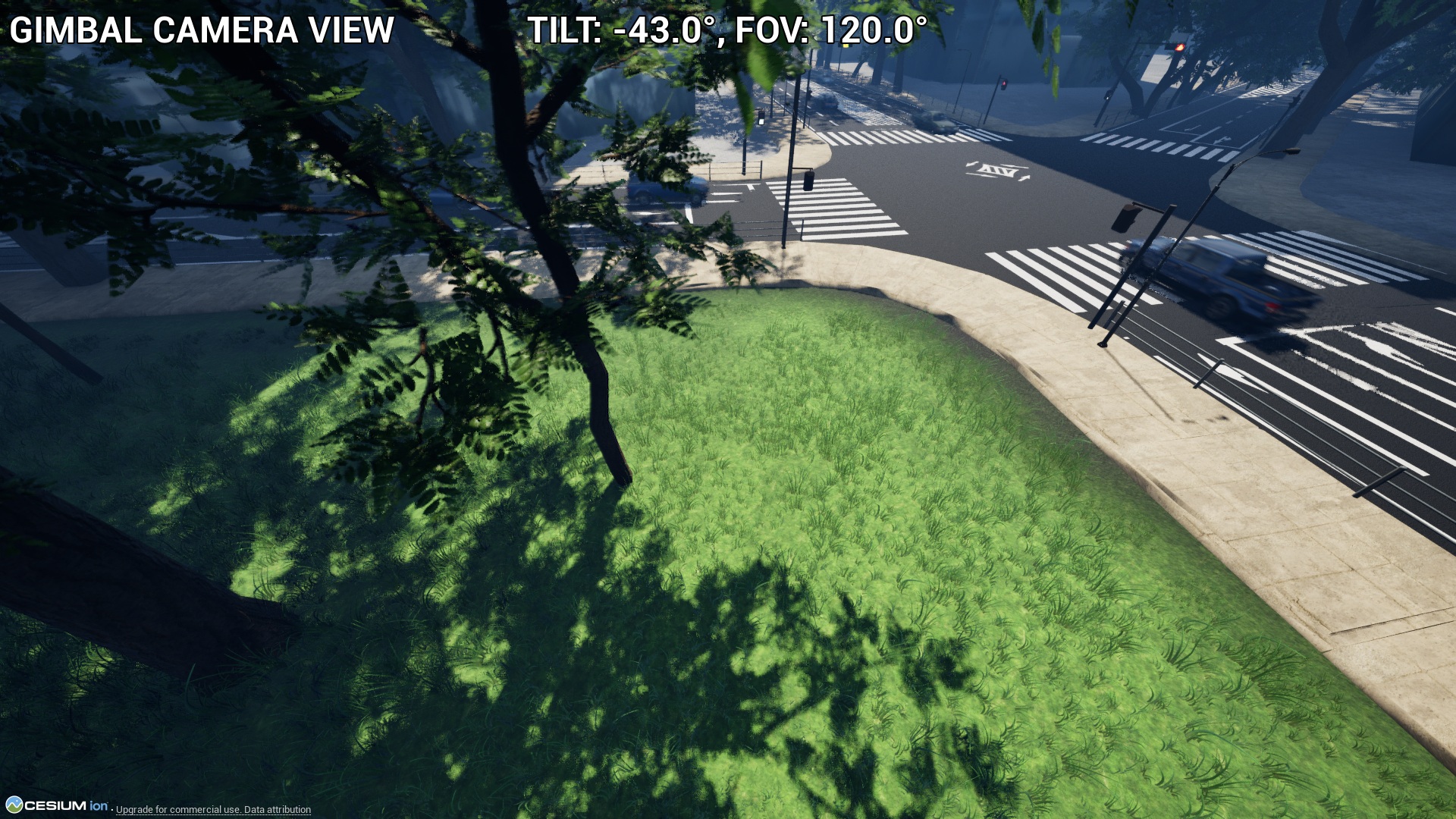 <!--textBlock--> <!--title--> # Control Character <!--text--> You can control a character with third-person view or first-person view. If the character falls into the sea or river, it will reset to the start position. Also, if the character contacts cars or cyclists, it will reset to the start position. The pedestrians are only walking, you can't interact with them. <!--image-->  <!--textBlock--> <!--title--> # Control Floating Camera <!--text--> You can control a floating camera. The floating camera is not affected by gravity and is not affected by any contact. When there is no input, it remains stationary in the air. <!--textBlock--> <!--title--> # Main Menu <!--text--> You can start the game by selecting "START GAME." You can choose the settings of a game, sound, weather, digital twin, or datetime. You can check the game pad layout by selecting "Controller." <!--image-->  <!--textBlock--> <!--title--> # Game Settings <!--text--> You can set Game Mode, Resolution, Full Screen, Gamma, Bloom, Quality, and Language. If you want to improve the frame rate, please choose the quality of low. <!--image-->  <!--textBlock--> <!--title--> # Sound Settings <!--text--> You can select BGM. You can set the mute. You can set the volume of BGM, Effect, and UI. <!--image-->  <!--textBlock--> <!--title--> # Digital Twin Settings <!--text--> You can change the amount of the crowd and the details of their 3D model. Also, you can change visibility of virtual fence. The virtual fences protect pedestrians from the drone. You can change the theme of trees. You can change visibility of trees, street lamps, benches, and traffic. If you want to improve the frame rate, please uncheck the traffic. <!--image-->  <!--textBlock--> <!--title--> # Weather Settings <!--text--> You can set the weather to sunny, rainy, or snowy. <!--image-->  <!--textBlock--> <!--title--> # Date and Time Settings <!--text--> You can set the year, month, day, hour, and minutes. The fireworks event will start when the Date and Time Settings are set to 19:20 to 19:59 on June 2, 2025, or 19:30 to 19:59 on August 4, 2025. <!--image-->  <!--image-->  <!--textBlock--> <!--title--> # Controller <!--text--> You can check the gamepad layout of the corresponding game mode. <!--image-->  → <!--textBlock--> <!--title--> # Drone Simulation <!--text--> You can simulate a drone with a third-person, first-person, or gimbal camera view. If the drone falls into the sea or river, it will reset to the start position. Also, if the drone contacts cars or cyclists, it will reset to the start position. Virtual fences protect pedestrians from the drone. So, the drone can't move into the virtual fences. You can set visibility of the virtual fences using "Digital Twin Settings." <!--image-->  <!--image-->  <!--image-->  <!--textBlock--> <!--title--> # Control Character <!--text--> You can control a character with third-person view or first-person view. If the character falls into the sea or river, it will reset to the start position. Also, if the character contacts cars or cyclists, it will reset to the start position. The pedestrians are only walking, you can't interact with them. <!--image-->  <!--textBlock--> <!--title--> # Control Floating Camera <!--text--> You can control a floating camera. The floating camera is not affected by gravity and is not affected by any contact. When there is no input, it remains stationary in the air. <!--image-->  <!--textBlock--> <!--title--> # Main Menu <!--text--> You can start the game by selecting "START GAME." You can choose the settings of a game, sound, weather, digital twin, or datetime. You can check the game pad layout by selecting "Controller." <!--image-->  <!--textBlock--> <!--title--> # Game Settings <!--text--> You can set Game Mode, Resolution, Full Screen, Gamma, Bloom, Quality, and Language. If you want to improve the frame rate, please choose the quality of low. <!--image-->  <!--textBlock--> <!--title--> # Sound Settings <!--text--> You can select BGM. You can set the mute. You can set the volume of BGM, Effect, and UI. <!--image-->  <!--textBlock--> <!--title--> # Digital Twin Settings <!--text--> You can change the amount of the crowd and the details of their 3D model. Also, you can change visibility of virtual fence. The virtual fences protect pedestrians from the drone. You can change the theme of trees. You can change visibility of trees, street lamps, benches, and traffic. If you want to improve the frame rate, please uncheck the traffic. <!--image-->  <!--textBlock--> <!--title--> # Weather Settings <!--text--> You can set the weather to sunny, rainy, or snowy. <!--image-->  <!--textBlock--> <!--title--> # Date and Time Settings <!--text--> You can set the year, month, day, hour, and minutes. The fireworks event will start when the Date and Time Settings are set to 19:20 to 19:59 on June 2, 2025, or 19:30 to 19:59 on August 4, 2025. <!--image-->  <!--image-->  <!--textBlock--> <!--title--> # Controller <!--text--> You can check the gamepad layout of the corresponding game mode. <!--image--> 
Change fdb6af23-e0c3-488b-9c05-cb5f390c970fJun 11 2026, 03:18 PM
- Removed tag Epic MEGA Sale
Change 753a2f87-f4d3-4ab8-b881-6bed85a42472May 19 2026, 07:00 AM
- Added tag Epic MEGA Sale
Change 90bbff51-799a-4245-af9f-4bd85127f655Apr 13 2026, 03:09 PM
- Removed tag Spring Sale
Change 3ec71e96-3a89-4636-92e3-ee96518f6d75Mar 30 2026, 03:12 PM
- Added tag Spring Sale
Change c598000c-fecb-4e80-b902-1fbe0780d52cMar 5 2026, 10:37 PM
- Locale key LongDescription modified: <!--textBlock--> <!--title--> # Drone Simulation <!--text--> You can simulate a drone with a third-person, first-person, or gimbal camera view. If the drone falls into the sea or river, it will reset to the start position. Also, if the drone contacts cars or cyclists, it will reset to the start position. Virtual fences protect pedestrians from the drone. So, the drone can't move into the virtual fences. You can set visibility of the virtual fences using "Digital Twin Settings." <!--image--> 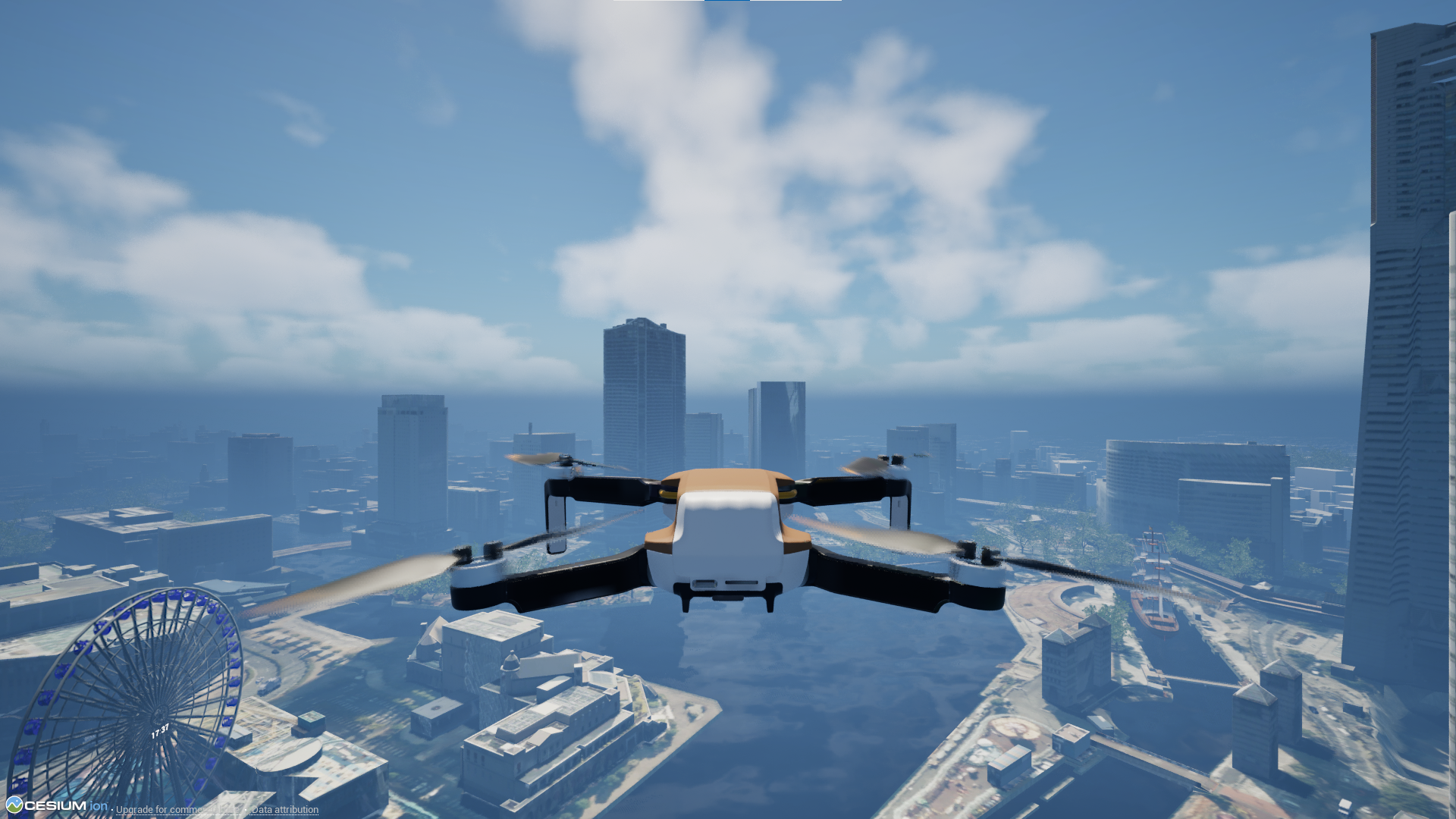 <!--image--> 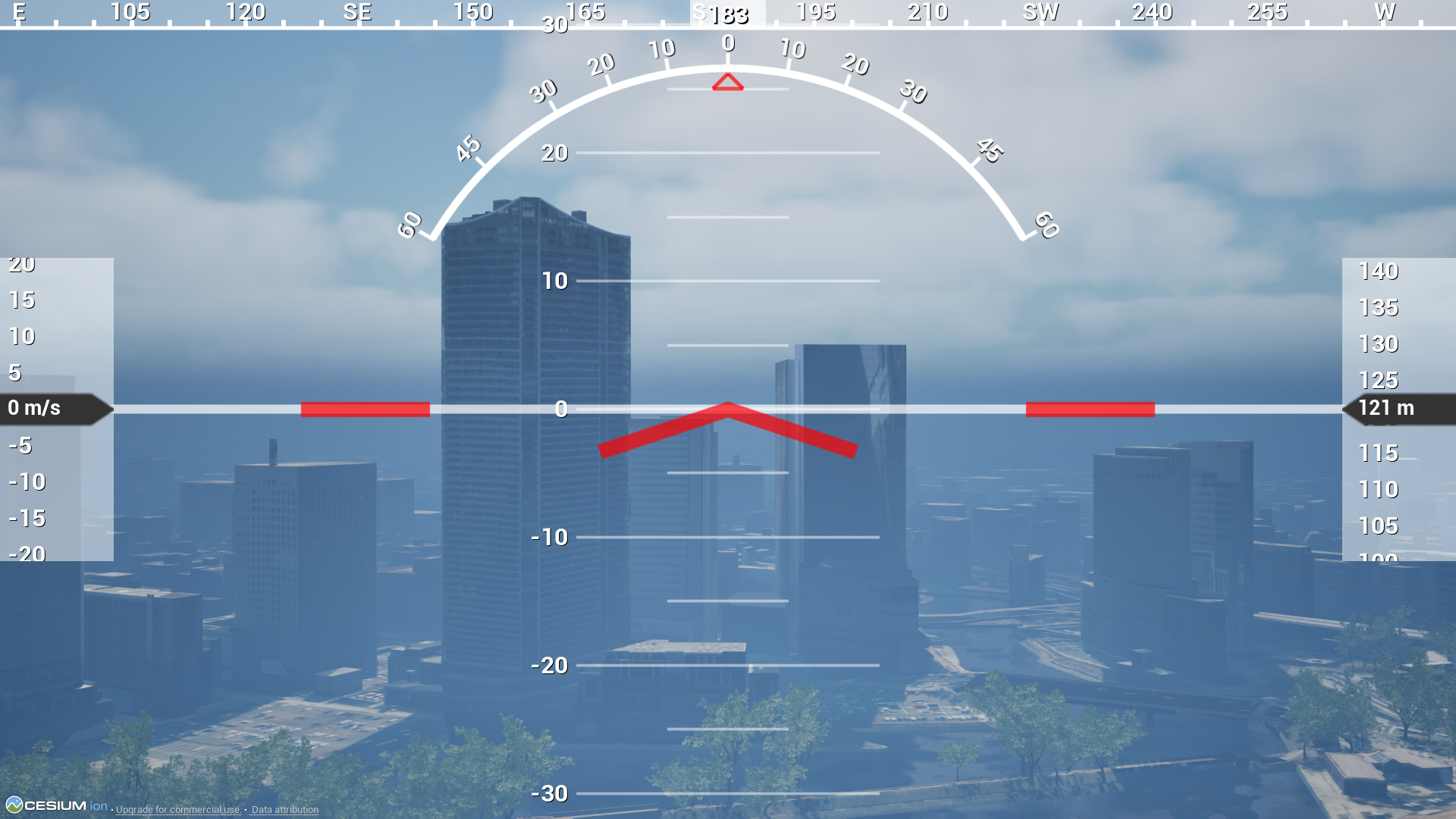 <!--image--> 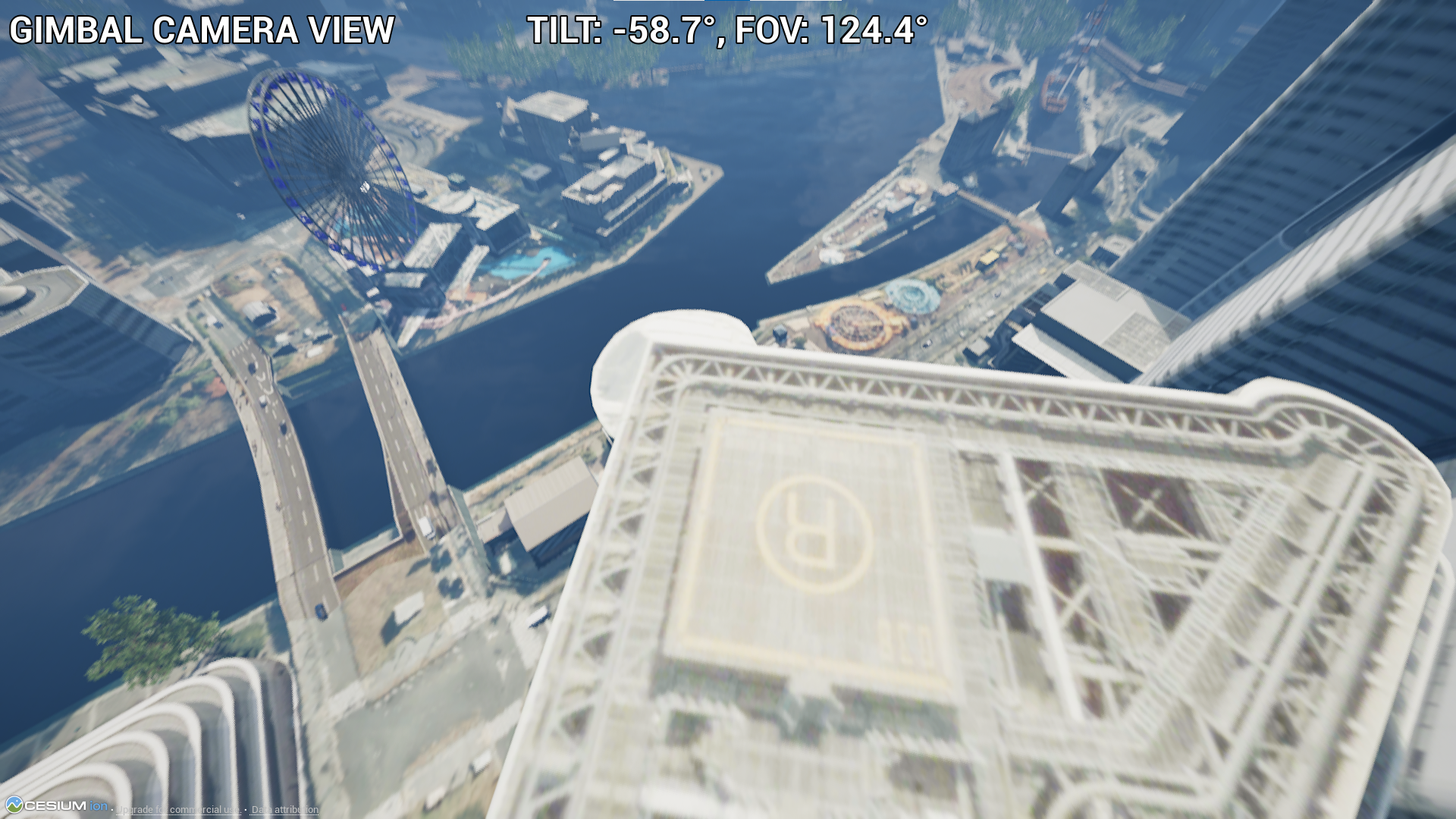 <!--textBlock--> <!--title--> # Control Character <!--text--> You can control a character with third-person view or first-person view. If the character falls into the sea or river, it will reset to the start position. Also, if the character contacts cars or cyclists, it will reset to the start position. The pedestrians are only walking, you can't interact with them. <!--image--> 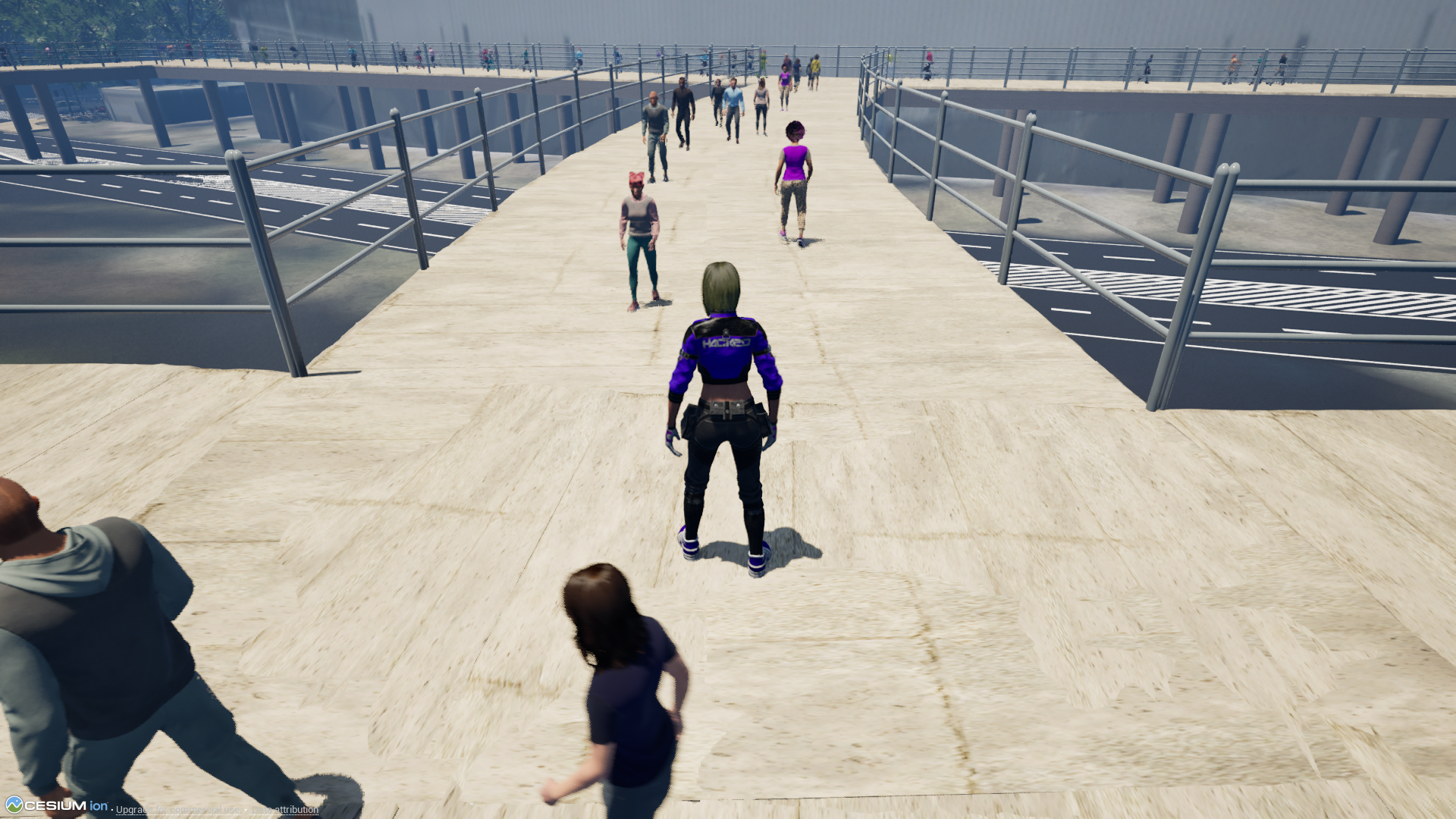 <!--textBlock--> <!--title--> # Control Floating Camera <!--text--> You can control a floating camera. The floating camera is not affected by gravity and is not affected by any contact. When there is no input, it remains stationary in the air. <!--textBlock--> <!--title--> # Main Menu <!--text--> You can start the game by selecting "START GAME." You can choose the settings of a game, sound, weather, digital twin, or datetime. You can check the game pad layout by selecting "Controller." <!--image--> 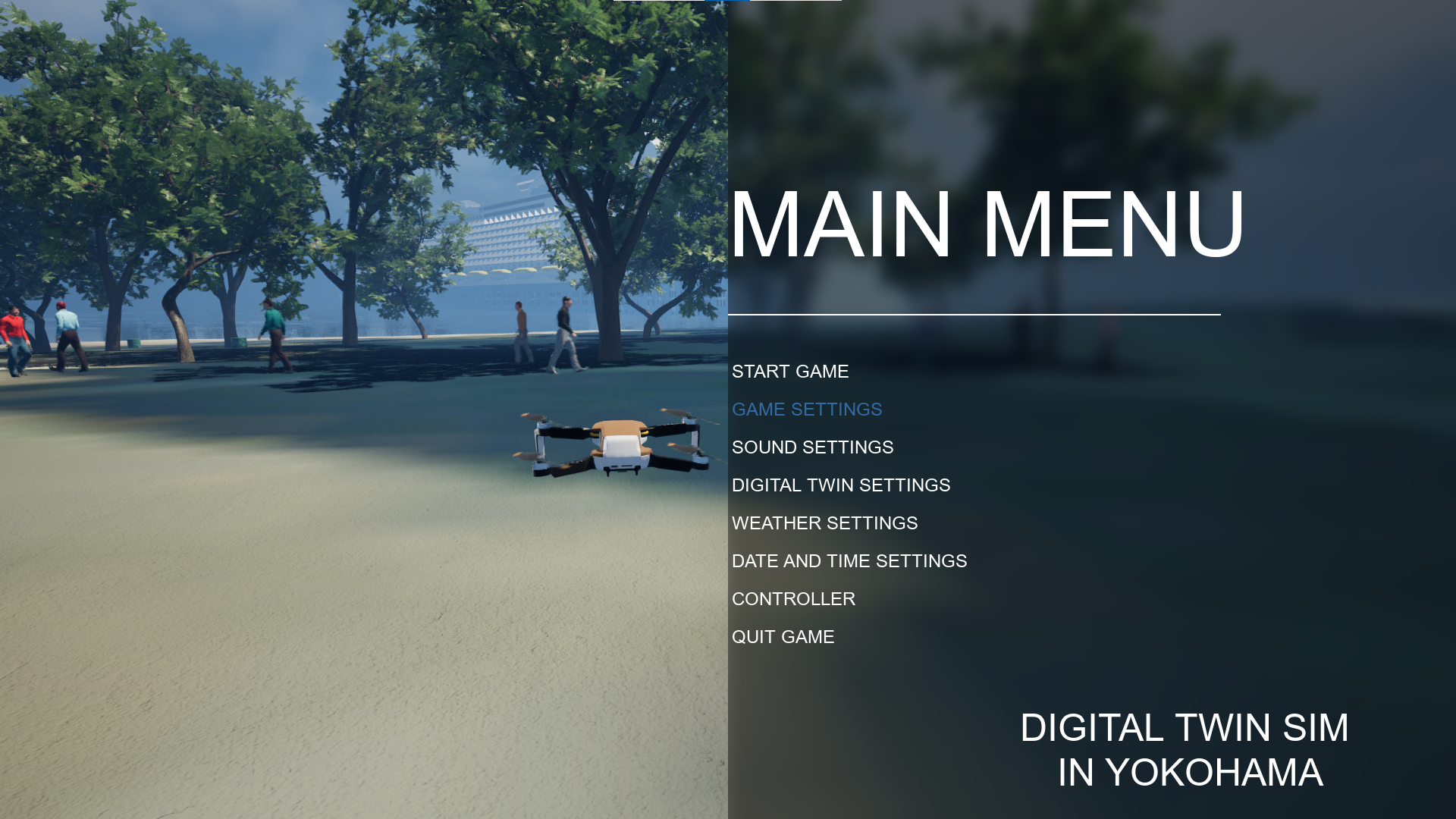 <!--textBlock--> <!--title--> # Game Settings <!--text--> You can set Game Mode, Resolution, Full Screen, Gamma, Bloom, Quality, and Language. If you want to improve the frame rate, please choose the quality of low. <!--image--> 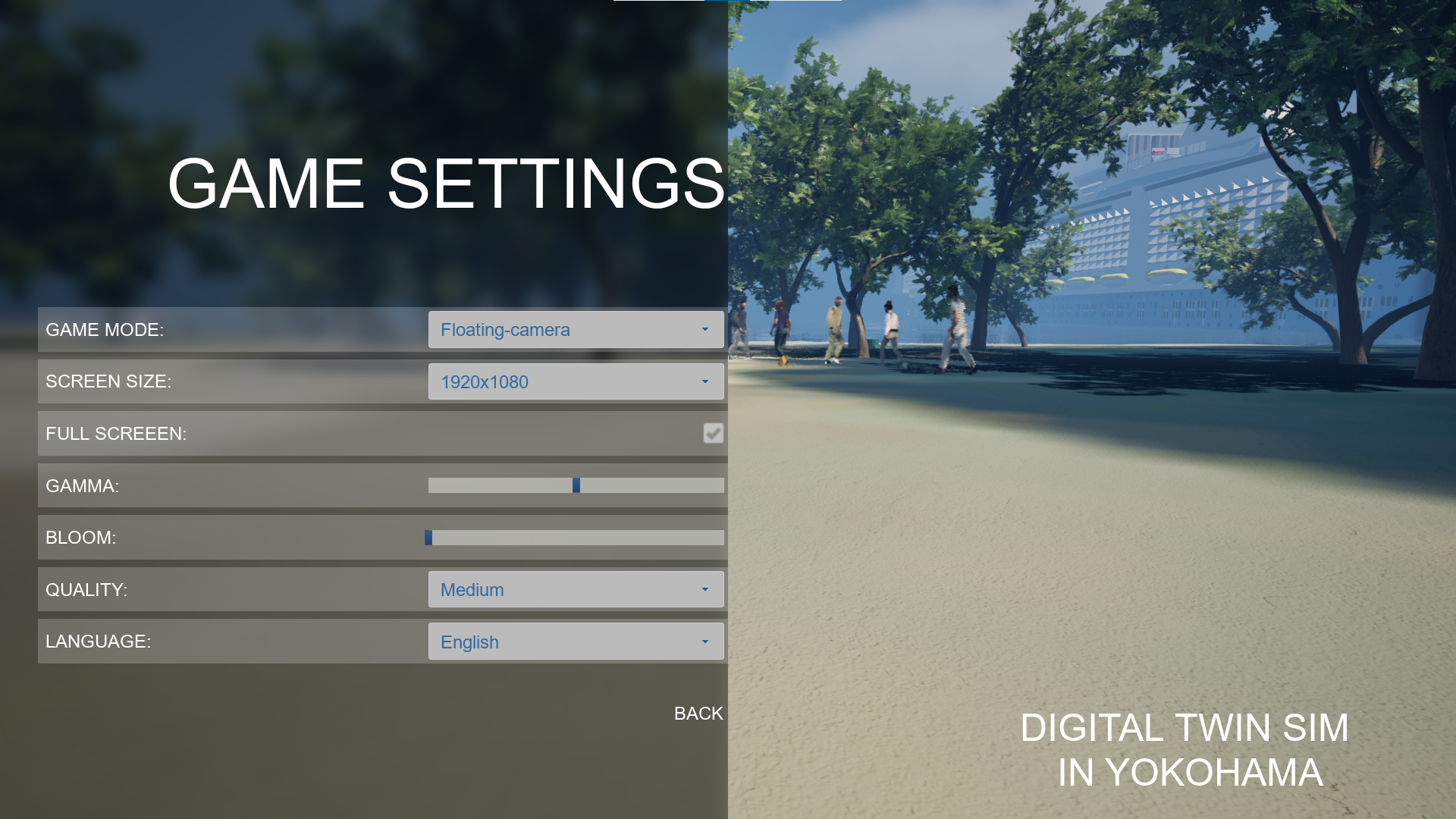 <!--textBlock--> <!--title--> # Sound Settings <!--text--> You can select BGM. You can set the mute. You can set the volume of BGM, Effect, and UI. <!--image--> 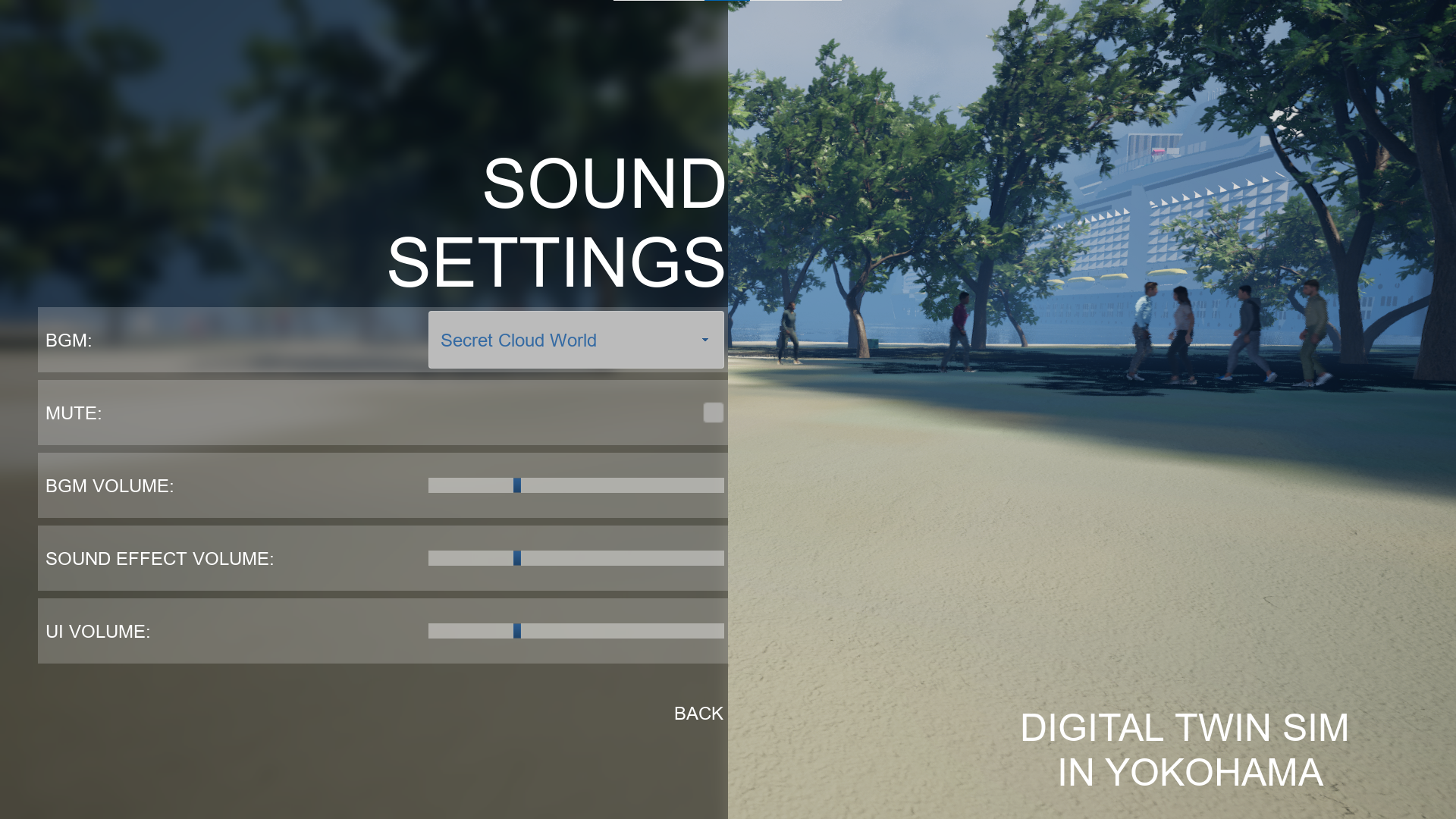 <!--textBlock--> <!--title--> # Digital Twin Settings <!--text--> You can change the amount of the crowd and the details of their 3D model. Also, you can change visibility of virtual fence. The virtual fences protect pedestrians from the drone. You can change the theme of trees. You can change visibility of trees, street lamps, benches, and traffic. If you want to improve the frame rate, please uncheck the traffic. <!--image--> 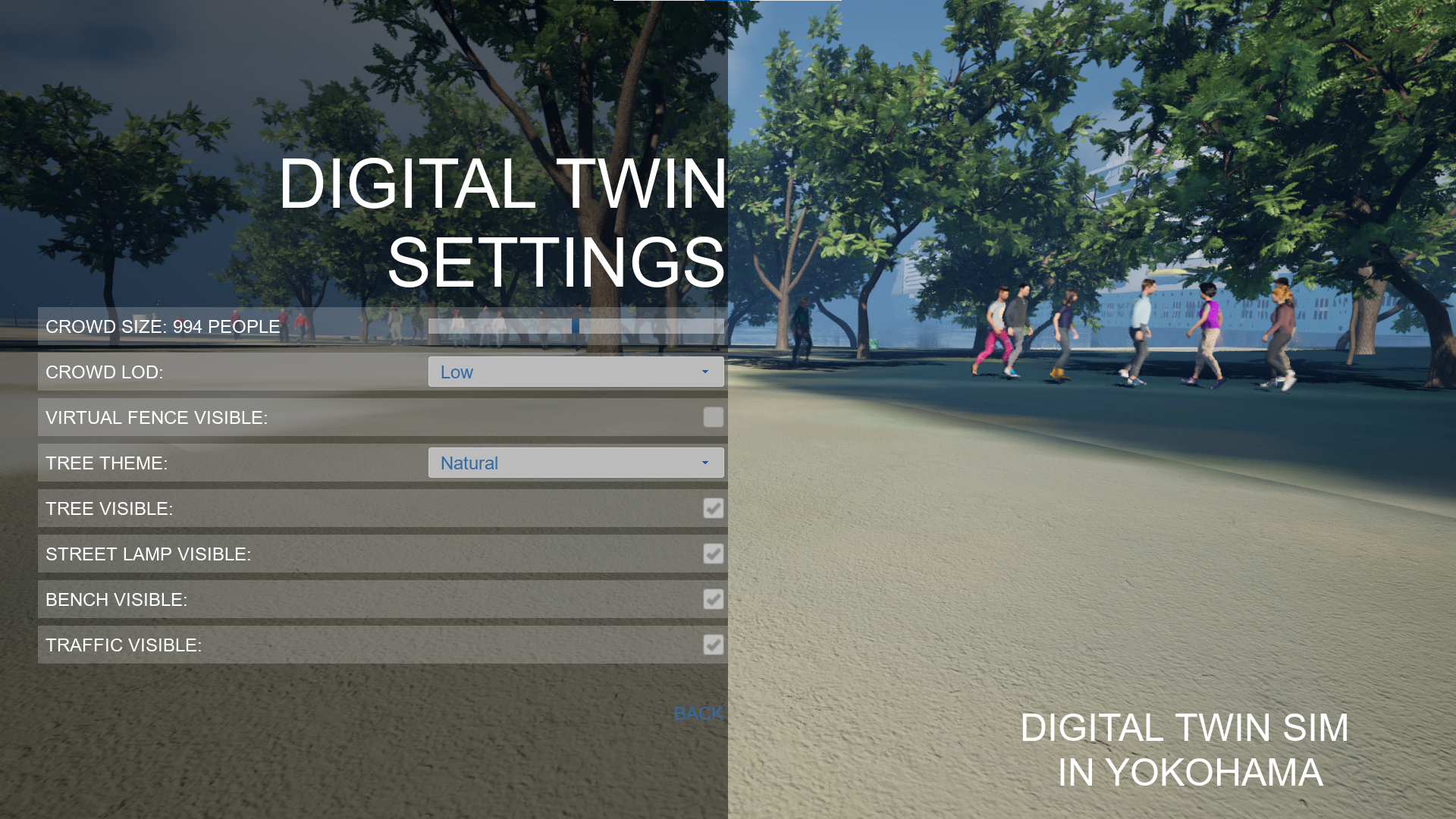 <!--textBlock--> <!--title--> # Weather Settings <!--text--> You can set the weather to sunny, rainy, or snowy. <!--image--> 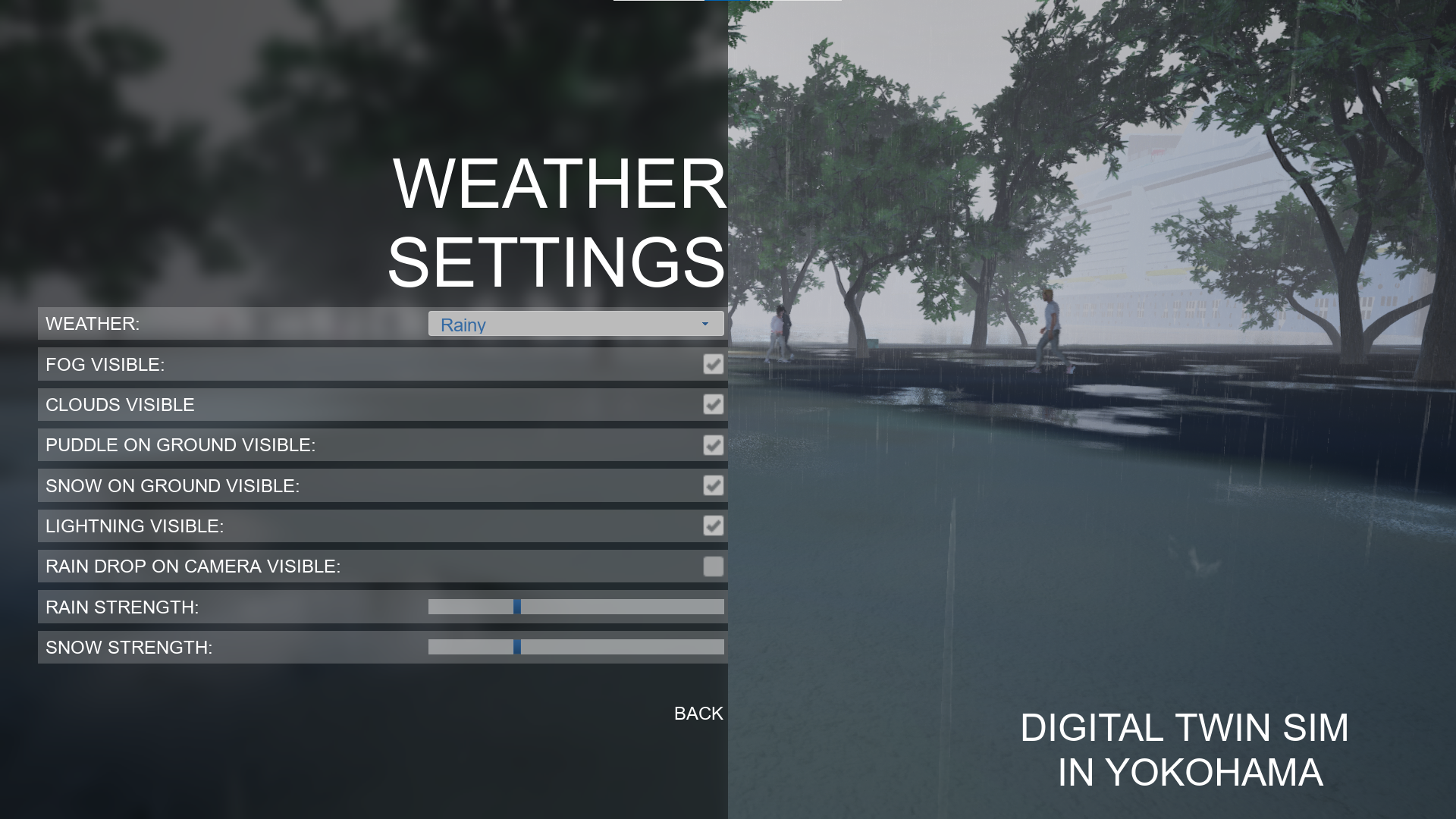 <!--textBlock--> <!--title--> # Date and Time Settings <!--text--> You can set the year, month, day, hour, and minutes. The fireworks event will start when the Date and Time Settings are set to 19:20 to 19:59 on June 2, 2025, or 19:30 to 19:59 on August 4, 2025. <!--image--> 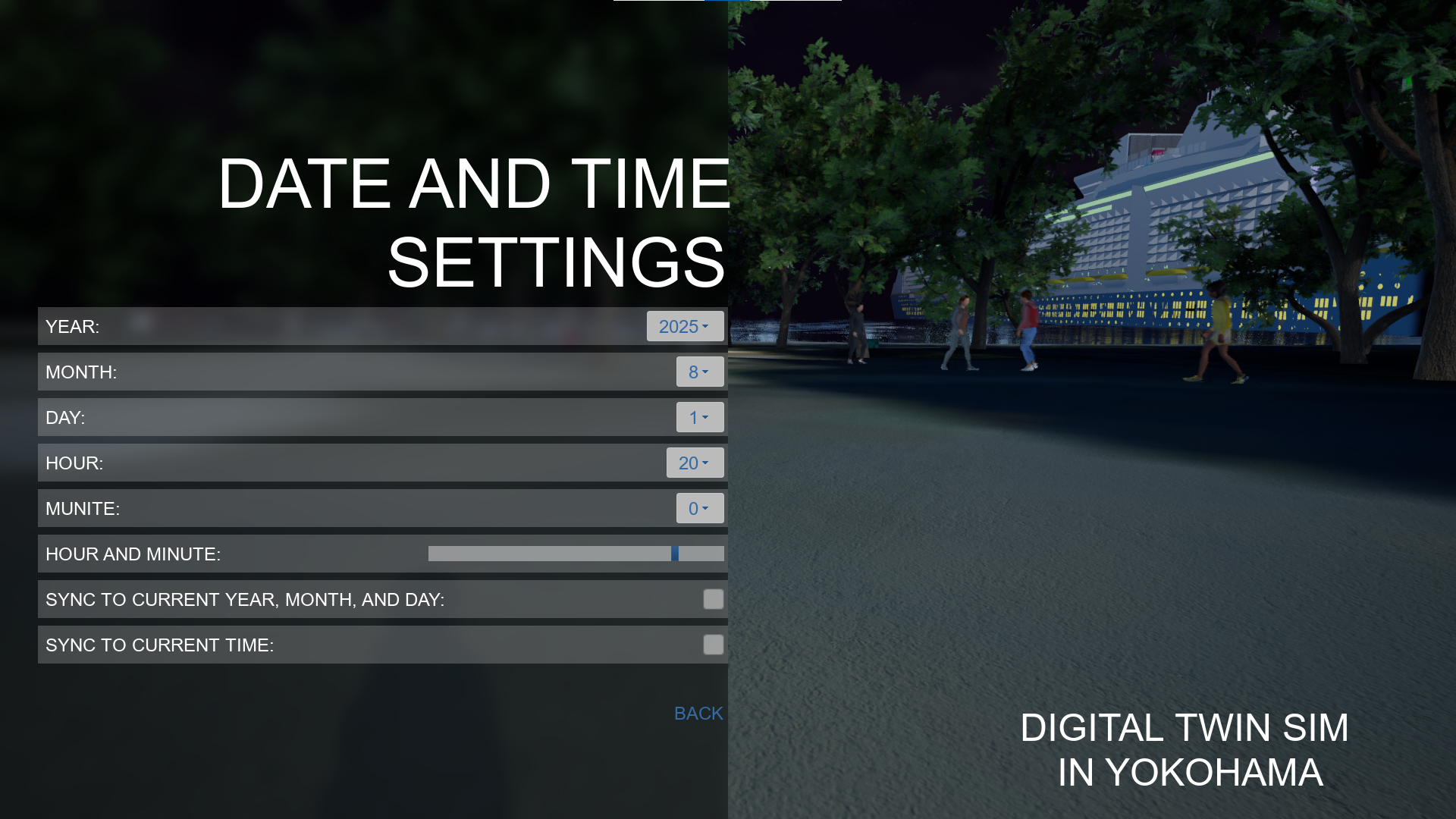 <!--image-->  <!--textBlock--> <!--title--> # Controller <!--text--> You can check the gamepad layout of the corresponding game mode. <!--image--> 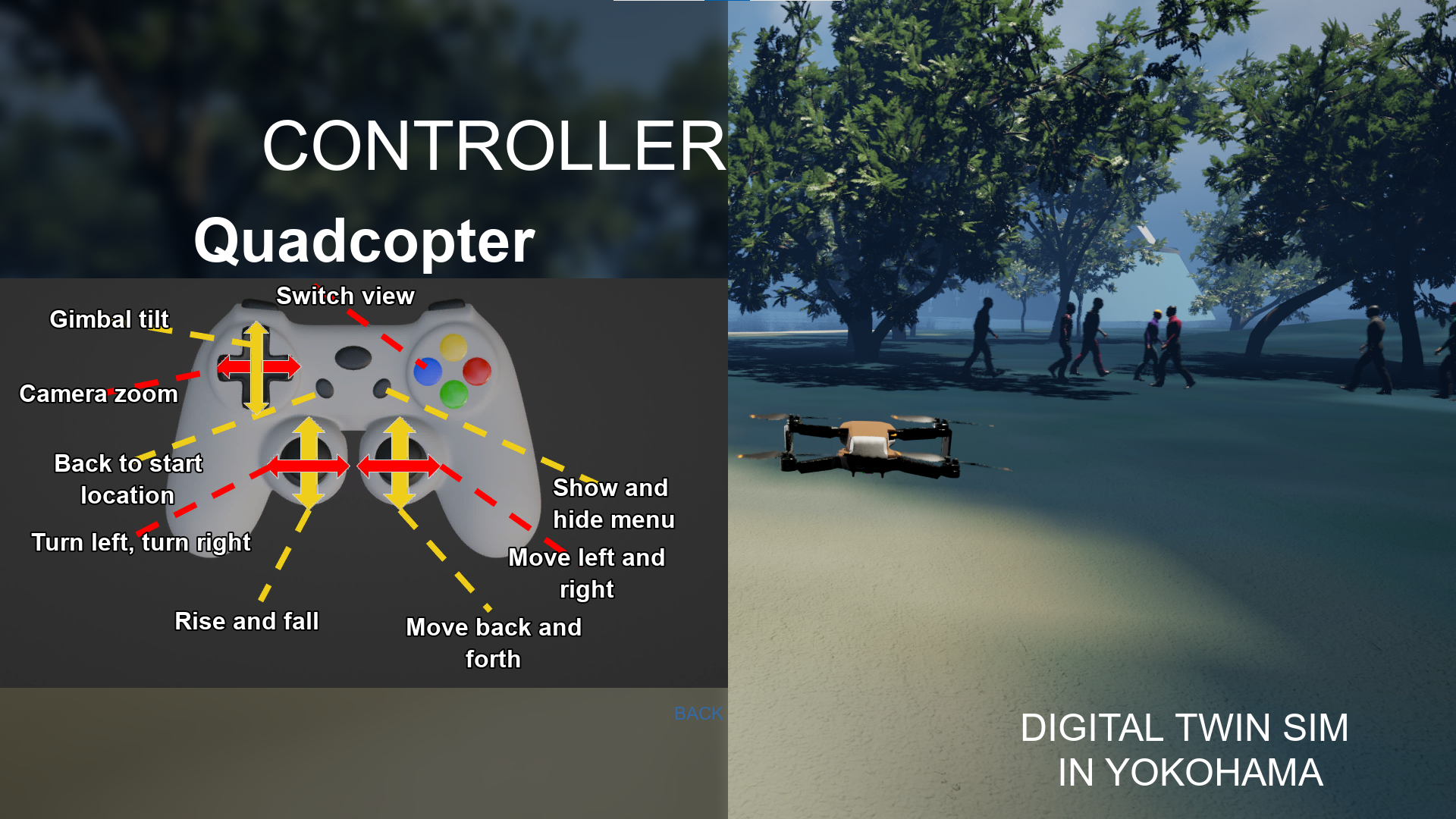 → <!--textBlock--> <!--title--> # Drone Simulation <!--text--> You can simulate a drone with a third-person, first-person, or gimbal camera view. If the drone falls into the sea or river, it will reset to the start position. Also, if the drone contacts cars or cyclists, it will reset to the start position. Virtual fences protect pedestrians from the drone. So, the drone can't move into the virtual fences. You can set visibility of the virtual fences using "Digital Twin Settings." <!--image-->  <!--image-->  <!--image-->  <!--textBlock--> <!--title--> # Control Character <!--text--> You can control a character with third-person view or first-person view. If the character falls into the sea or river, it will reset to the start position. Also, if the character contacts cars or cyclists, it will reset to the start position. The pedestrians are only walking, you can't interact with them. <!--image-->  <!--textBlock--> <!--title--> # Control Floating Camera <!--text--> You can control a floating camera. The floating camera is not affected by gravity and is not affected by any contact. When there is no input, it remains stationary in the air. <!--textBlock--> <!--title--> # Main Menu <!--text--> You can start the game by selecting "START GAME." You can choose the settings of a game, sound, weather, digital twin, or datetime. You can check the game pad layout by selecting "Controller." <!--image-->  <!--textBlock--> <!--title--> # Game Settings <!--text--> You can set Game Mode, Resolution, Full Screen, Gamma, Bloom, Quality, and Language. If you want to improve the frame rate, please choose the quality of low. <!--image-->  <!--textBlock--> <!--title--> # Sound Settings <!--text--> You can select BGM. You can set the mute. You can set the volume of BGM, Effect, and UI. <!--image-->  <!--textBlock--> <!--title--> # Digital Twin Settings <!--text--> You can change the amount of the crowd and the details of their 3D model. Also, you can change visibility of virtual fence. The virtual fences protect pedestrians from the drone. You can change the theme of trees. You can change visibility of trees, street lamps, benches, and traffic. If you want to improve the frame rate, please uncheck the traffic. <!--image-->  <!--textBlock--> <!--title--> # Weather Settings <!--text--> You can set the weather to sunny, rainy, or snowy. <!--image-->  <!--textBlock--> <!--title--> # Date and Time Settings <!--text--> You can set the year, month, day, hour, and minutes. The fireworks event will start when the Date and Time Settings are set to 19:20 to 19:59 on June 2, 2025, or 19:30 to 19:59 on August 4, 2025. <!--image-->  <!--image-->  <!--textBlock--> <!--title--> # Controller <!--text--> You can check the gamepad layout of the corresponding game mode. <!--image--> 
Change 93705518-0f1e-4890-b06b-97c093bff889Feb 23 2026, 04:04 PM
- Removed tag Winter Sale
Change acd0aed7-5b2e-4b47-9a76-5153f5f956ccFeb 9 2026, 04:10 PM
- Added tag Winter Sale
Change a87457da-cd35-4a13-8919-59f6f7e903c9Jan 16 2026, 03:11 AM
- Added 3 tags
- Controller Support
- Indie
- Open World
Change 80ea65d1-a6bd-4185-91a8-9bba209b836dDec 2 2025, 04:06 PM
- Removed tag Black Friday - Cyber Monday Sale
Change 594b81b3-619f-44f6-a2ac-487e588adeb9Nov 18 2025, 04:06 PM
- Added tag Black Friday - Cyber Monday Sale
Change aa90809c-6c0e-45a4-8ece-c54b66810a53Nov 16 2025, 12:09 AM
- Removed tag First Run
Change 6248b960-c223-4910-a3d8-870a5a2cbc72Oct 10 2025, 01:48 PM
- Locale key LongDescription modified: <!--textBlock--> <!--title--> # Drone Simulation <!--text--> You can simulate a drone with a third-person, first-person, or gimbal camera view. If the drone falls into the sea or river, it will reset to the start position. Also, if the drone contacts cars or cyclists, it will reset to the start position. Virtual fences protect pedestrians from the drone. So, the drone can't move into the virtual fences. You can set visibility of the virtual fences using "Digital Twin Settings." <!--image-->  <!--image-->  <!--image-->  <!--textBlock--> <!--title--> # Control Character <!--text--> You can control a character with third-person view or first-person view. If the character falls into the sea or river, it will reset to the start position. Also, if the character contacts cars or cyclists, it will reset to the start position. The pedestrians are only walking, you can't interact with them. <!--image--> 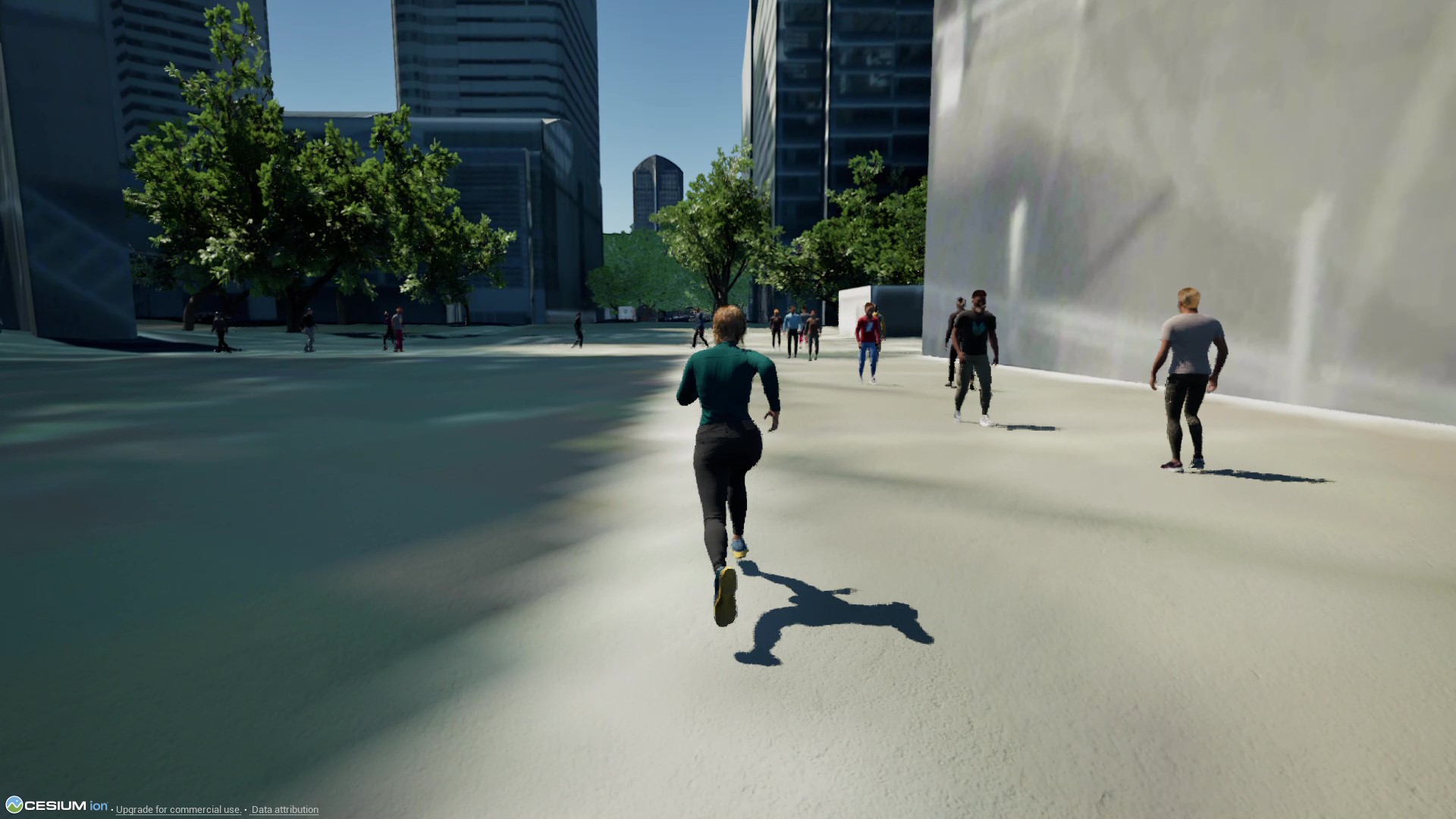 <!--textBlock--> <!--title--> # Control Floating Camera <!--text--> You can control a floating camera. The floating camera is not affected by gravity and is not affected by any contact. When there is no input, it remains stationary in the air. <!--textBlock--> <!--title--> # Main Menu <!--text--> You can start the game by selecting "START GAME." You can choose the settings of a game, sound, weather, digital twin, or datetime. You can check the game pad layout by selecting "Controller." <!--image-->  <!--textBlock--> <!--title--> # Game Settings <!--text--> You can set Game Mode, Resolution, Full Screen, Gamma, Bloom, Quality, and Language. If you want to improve the frame rate, please choose the quality of low. <!--image-->  <!--textBlock--> <!--title--> # Sound Settings <!--text--> You can select BGM. You can set the mute. You can set the volume of BGM, Effect, and UI. <!--image-->  <!--textBlock--> <!--title--> # Digital Twin Settings <!--text--> You can change the amount of the crowd and the details of their 3D model. Also, you can change visibility of virtual fence. The virtual fences protect pedestrians from the drone. You can change the theme of trees. You can change visibility of trees, street lamps, benches, and traffic. If you want to improve the frame rate, please uncheck the traffic. <!--image-->  <!--textBlock--> <!--title--> # Weather Settings <!--text--> You can set the weather to sunny, rainy, or snowy. <!--image-->  <!--textBlock--> <!--title--> # Date and Time Settings <!--text--> You can set the year, month, day, hour, and minutes. <!--image-->  <!--textBlock--> <!--title--> # Controller <!--text--> You can check the gamepad layout of the corresponding game mode. <!--image-->  → <!--textBlock--> <!--title--> # Drone Simulation <!--text--> You can simulate a drone with a third-person, first-person, or gimbal camera view. If the drone falls into the sea or river, it will reset to the start position. Also, if the drone contacts cars or cyclists, it will reset to the start position. Virtual fences protect pedestrians from the drone. So, the drone can't move into the virtual fences. You can set visibility of the virtual fences using "Digital Twin Settings." <!--image-->  <!--image-->  <!--image-->  <!--textBlock--> <!--title--> # Control Character <!--text--> You can control a character with third-person view or first-person view. If the character falls into the sea or river, it will reset to the start position. Also, if the character contacts cars or cyclists, it will reset to the start position. The pedestrians are only walking, you can't interact with them. <!--image-->  <!--textBlock--> <!--title--> # Control Floating Camera <!--text--> You can control a floating camera. The floating camera is not affected by gravity and is not affected by any contact. When there is no input, it remains stationary in the air. <!--textBlock--> <!--title--> # Main Menu <!--text--> You can start the game by selecting "START GAME." You can choose the settings of a game, sound, weather, digital twin, or datetime. You can check the game pad layout by selecting "Controller." <!--image-->  <!--textBlock--> <!--title--> # Game Settings <!--text--> You can set Game Mode, Resolution, Full Screen, Gamma, Bloom, Quality, and Language. If you want to improve the frame rate, please choose the quality of low. <!--image-->  <!--textBlock--> <!--title--> # Sound Settings <!--text--> You can select BGM. You can set the mute. You can set the volume of BGM, Effect, and UI. <!--image-->  <!--textBlock--> <!--title--> # Digital Twin Settings <!--text--> You can change the amount of the crowd and the details of their 3D model. Also, you can change visibility of virtual fence. The virtual fences protect pedestrians from the drone. You can change the theme of trees. You can change visibility of trees, street lamps, benches, and traffic. If you want to improve the frame rate, please uncheck the traffic. <!--image-->  <!--textBlock--> <!--title--> # Weather Settings <!--text--> You can set the weather to sunny, rainy, or snowy. <!--image-->  <!--textBlock--> <!--title--> # Date and Time Settings <!--text--> You can set the year, month, day, hour, and minutes. The fireworks event will start when the Date and Time Settings are set to 19:20 to 19:59 on June 2, 2025, or 19:30 to 19:59 on August 4, 2025. <!--image-->  <!--image-->  <!--textBlock--> <!--title--> # Controller <!--text--> You can check the gamepad layout of the corresponding game mode. <!--image--> 
Change bfbb10f5-e779-4183-8db2-c90bf8f32fa4Oct 9 2025, 11:24 PM
- Added key image heroCarouselVideo: com.epicgames.video://3de8db0c-e913-40b9-90b0-338d25ddc790?cover=https%3A%2F%2Fcdn1.epicgames.com%2Fspt-assets%2F3361699e69cf46afa4609d93803b45c4%2Fdigital-twin-sim-in-yokohama-video-1d5of.png
- Removed key image heroCarouselVideo: com.epicgames.video://0b8656a8-110e-402b-9fb3-58dbf664ca38?cover=https%3A%2F%2Fcdn1.epicgames.com%2Fspt-assets%2F3361699e69cf46afa4609d93803b45c4%2Fdigital-twin-sim-in-yokohama-video-1l1pi.png